Heads up: we may earn a commission when you buy through links on this page, at no extra cost to you. As an Amazon Associate we earn from qualifying purchases. How we make money
Short on time? Our top pick is ASUS V16 (RTX 5060), Acer Predator Helios Neo 14 takes Best Compact Video Podcast Pick, while Samsung Galaxy Book4 takes Best Ports for Audio Gear.
- Best Budget Laptop for Podcasting ASUS V16 (RTX 5060) Check price
- Best Compact Video Podcast Pick Acer Predator Helios Neo 14 Check price
- Best Ports for Audio Gear Samsung Galaxy Book4 Check price
Shopping on Amazon? Get it faster with Prime
Free fast delivery on eligible items above, Prime-only deals and Prime Video. New members can try it free for 30 days and cancel anytime.
The best budget laptop for podcasting depends on your show. Audio-only podcasts run on almost any modern laptop with 16GB of memory, while video podcasts and clips for social media benefit from an RTX GPU for faster exports.
We picked five lower-priced laptops for both kinds of show, with notes on ports and cameras for remote guests. We checked each Amazon listing in October 2026 and used only the specs the maker or seller lists. We do not list exact prices because Amazon prices change in real time. Use the buttons to see the current price and availability on Amazon before you buy. Scores are our editorial scores out of 10, not Amazon customer ratings.
Best Budget Podcasting Laptops at a Glance
| Award | Laptop | Graphics | Why It Fits | Score |
|---|---|---|---|---|
| Best Budget Laptop for Podcasting | ASUS V16 (RTX 5060) | RTX 5060 | RTX 5060, 4.3 lbs | 8.7/10 |
| Best Compact Video Podcast Pick | Acer Predator Helios Neo 14 (RTX 5060) | RTX 5060 | RTX 5060, 14.5" | 8.5/10 |
| Best Ports for Audio Gear | Samsung Galaxy Book4 (Core 7 150U) | Intel Graphics | Ethernet, 2 x USB-C | 8.2/10 |
| Best Webcam for Remote Guests | Dell Inspiron 14 7440 2-in-1 | Intel Graphics | 1080p camera | 8.0/10 |
| Best Audio-Only Value | ASUS Vivobook 16 (Core i7) | Intel UHD | Core i7, 16GB | 7.6/10 |

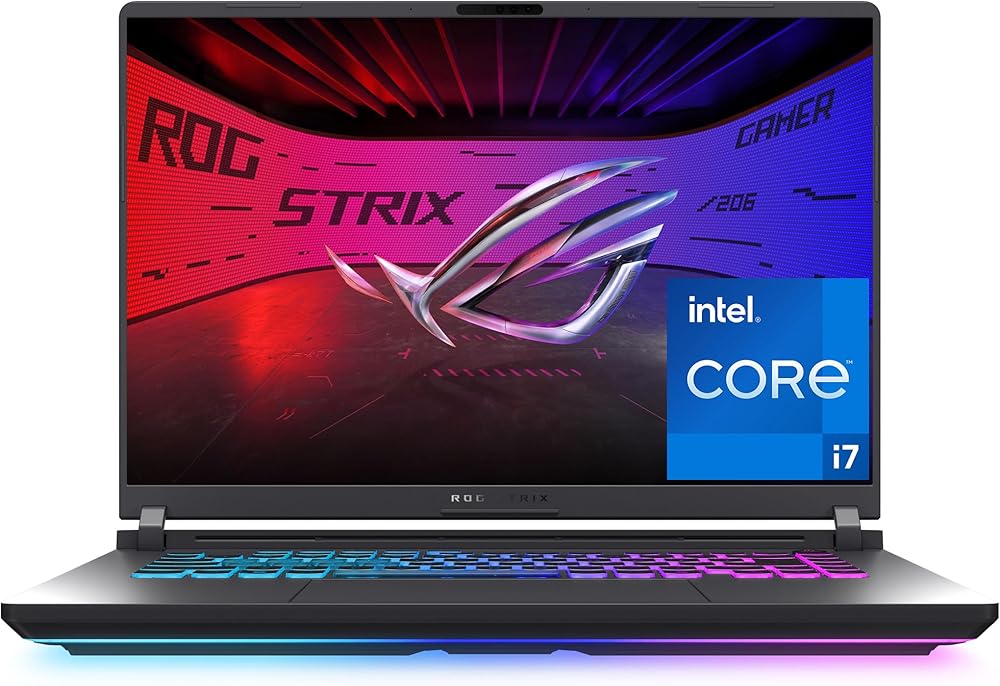
ASUS V16 Gaming Laptop, Intel Core 7 240H, GeForce RTX 5060, 16GB RAM, 512GB SSD, 16-inch WUXGA 144Hz
An RTX 5060 for video exports in a 4.3 lb 16-inch body.

Acer Predator Helios Neo 14 Gaming Laptop, Intel Core Ultra 7 255H, GeForce RTX 5060, 16GB RAM, 1TB SSD, 14.5-inch WQXGA 165Hz
An RTX 5060 and a 1TB SSD in a 14.5-inch body that travels well.

Samsung Galaxy Book4 15.6-inch FHD IPS Laptop, Intel Core 7 150U, 16GB, 512GB SSD, Wi-Fi 6E, Backlit Keyboard
Two USB-C ports, HDMI 2.1 and Ethernet for steady remote calls.

Dell Inspiron 14 7440 2-in-1 Laptop, 14-inch FHD+ Touchscreen, Intel Core 5 120U, 16GB DDR5, 512GB SSD, 1080p Webcam
A 1080p camera with noise reduction and a 360-degree hinge.
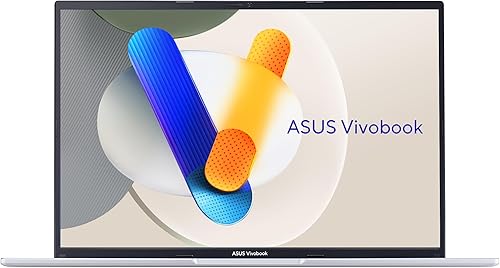
ASUS Vivobook 16 Laptop, Intel Core i7-13620H, 16GB RAM, 512GB SSD, 16-inch WUXGA
A Core i7-13620H and 16GB for audio editing at a lower tier.
In-Depth Reviews
1. Audio-Only vs Video Podcasts
Recording and editing audio is light work; a Core i7 or Core 5 with 16GB of memory handles multitrack sessions in Audacity, Reaper or Adobe Audition. If you also record video, an RTX GPU like the RTX 5060 in the ASUS V16 and Acer Helios Neo 14 speeds up exports and clips.
Ports decide how easily you connect mics and audio interfaces. Count your gear, then match it to the laptop's USB-C and USB-A ports or add a hub. For live shows, see our budget streaming laptop guide.
2. ASUS V16 (RTX 5060): Best Budget Laptop for Podcasting
The ASUS V16 (RTX 5060) has an Intel Core 7 240H, an RTX 5060 with 8GB of GDDR7, 16GB of memory and a 512GB SSD in a 4.3 lb 16-inch body. An RTX 5060 for video exports in a 4.3 lb 16-inch body.
3. Acer Predator Helios Neo 14 (RTX 5060): Best Compact Video Podcast Pick
The Acer Predator Helios Neo 14 (RTX 5060) has an Intel Core Ultra 7 255H, an RTX 5060, 16GB of RAM and a 1TB SSD in a 14.5-inch body with a WQXGA G-SYNC screen. An RTX 5060 and a 1TB SSD in a 14.5-inch body that travels well.
4. Samsung Galaxy Book4 (Core 7 150U): Best Ports for Audio Gear
The Samsung Galaxy Book4 (Core 7 150U) has a 10-core Intel Core 7 150U, 16GB of memory and a 512GB NVMe SSD, with a 15.6-inch FHD IPS anti-glare screen covering 100% sRGB, Wi-Fi 6E, Gigabit Ethernet, two USB-C ports and HDMI 2.1. Two USB-C ports, HDMI 2.1 and Ethernet for steady remote calls.
5. Dell Inspiron 14 7440 2-in-1: Best Webcam for Remote Guests
The Dell Inspiron 14 7440 2-in-1 has an Intel Core 5 120U, 16GB of DDR5 and a 512GB SSD, with a 14-inch 1920 x 1200 touchscreen, a 360-degree hinge, a 1080p camera with noise reduction and a backlit keyboard. A 1080p camera with noise reduction and a 360-degree hinge.
6. ASUS Vivobook 16 (Core i7): Best Audio-Only Value
The ASUS Vivobook 16 (Core i7) has an Intel Core i7-13620H, 16GB of RAM and a 512GB SSD, with a 16-inch 1920 x 1200 screen at 300 nits. A Core i7-13620H and 16GB for audio editing at a lower tier.
How to Choose a Budget Podcasting Laptop
Memory
16GB for multitrack audio and video edits.
GPU
An RTX GPU helps only with video podcasts.
Ports
Match your mic or audio interface connectors.
Camera
A 1080p webcam helps on remote guest calls.
Quick Setup Tips
- Use the right power mode: balanced for battery, performance when plugged in
- Keep drivers current: creative apps rely on up-to-date GPU drivers
- Back up your projects: use cloud or an external SSD
- Add a dock or USB-C hub: it makes a laptop a desk setup in seconds
- Check the live price: use the buttons to see the current price on Amazon
Frequently Asked Questions
What is the best budget laptop for podcasting?
The ASUS V16 with an RTX 5060 and 16GB of memory in a 4.3 lb body.
Do I need a powerful laptop for podcasting?
Not for audio only; video podcasts benefit from an RTX GPU.
How much RAM do I need for podcasting?
16GB, which every pick here has.
Can I plug a USB microphone into these laptops?
Yes, all have USB ports; check if you need USB-C or USB-A.
Which pick is best for recording guests remotely?
The Dell Inspiron 14 7440 with its 1080p camera.
The Bottom Line
The ASUS V16 is the best budget laptop for podcasting in our check. Choose the Acer Predator Helios Neo 14 for compact video work, or the ASUS Vivobook 16 for audio-only shows.