Heads up: we may earn a commission when you buy through links on this page, at no extra cost to you. As an Amazon Associate we earn from qualifying purchases. How we make money
Short on time? Our top pick is Lenovo IdeaPad Pro 5 OLED, Lenovo Legion 5a OLED takes Best Budget OLED With RTX 5060, while Acer Nitro V 16S takes Best Budget Editor With 32GB.
- Best Budget Laptop for Video Editing Lenovo IdeaPad Pro 5 OLED Check price
- Best Budget OLED With RTX 5060 Lenovo Legion 5a OLED Check price
- Best Budget Editor With 32GB Acer Nitro V 16S Check price
Shopping on Amazon? Get it faster with Prime
Free fast delivery on eligible items above, Prime-only deals and Prime Video. New members can try it free for 30 days and cancel anytime.
The best budget laptop for video editing balances three things: a GPU that speeds up effects and exports, enough memory for your timeline, and a screen that shows color well. OLED screens and NVIDIA RTX graphics have both reached lower price tiers, which makes this a good time to buy.
We picked six lower-priced laptops for editing. We checked each Amazon listing in October 2026 and used only the specs the maker or seller lists. We do not list exact prices because Amazon prices change in real time. Use the buttons to see the current price and availability on Amazon before you buy. Scores are our editorial scores out of 10, not Amazon customer ratings.
Best Budget Video Editing Laptops at a Glance
| Award | Laptop | Graphics | Why It Fits | Score |
|---|---|---|---|---|
| Best Budget Laptop for Video Editing | Lenovo IdeaPad Pro 5 OLED (RTX 5050) | RTX 5050 | RTX 5050, OLED | 9.0/10 |
| Best Budget OLED With RTX 5060 | Lenovo Legion 5a OLED (RTX 5060) | RTX 5060 | RTX 5060, OLED | 8.8/10 |
| Best Budget Editor With 32GB | Acer Nitro V 16S (RTX 5060) | RTX 5060 | RTX 5060, 32GB | 8.6/10 |
| Best Lower-Cost RTX 5060 | Lenovo LOQ 15 (RTX 5060) | RTX 5060 | RTX 5060, 144Hz | 8.4/10 |
| Best Budget OLED Without a GPU | Acer Swift 16 OLED (Ultra 5) | Intel Arc | Intel Arc, 3.2K OLED | 8.2/10 |
| Lowest-Cost OLED Editing Laptop | Acer Swift Go 16 OLED | Intel Arc | Intel Arc, OLED | 8.0/10 |

Lenovo IdeaPad Pro 5 (2025) Laptop, 16-inch 2.8K OLED 120Hz, GeForce RTX 5050, 16GB, 1TB
A 2.8K OLED plus an RTX 5050 covers color and GPU exports, sold by Amazon.

Lenovo Legion 5a Gaming Laptop, AMD Ryzen 7 250, GeForce RTX 5060 8GB, 16GB RAM, 1TB SSD, 15.3-inch WQXGA OLED 165Hz
It steps up to an RTX 5060 with a 15.3-inch OLED.

Acer Nitro V 16S Gaming Laptop, AMD Ryzen 7 260, GeForce RTX 5060, 32GB DDR5, 1TB SSD
32GB of memory handles longer 4K timelines.

Lenovo LOQ 15.6-inch Gaming Laptop, AMD Ryzen 7 250, GeForce RTX 5060 8GB, 16GB DDR5, 512GB SSD, FHD 144Hz
It brings RTX 5060 exports at a lower price.

Acer Swift 16 Laptop, 16-inch WQXGA+ OLED 120Hz, Intel Core Ultra 5 125H, 8GB RAM, 512GB SSD
A 3.2K OLED with 100% DCI-P3 suits color work and lighter edits.
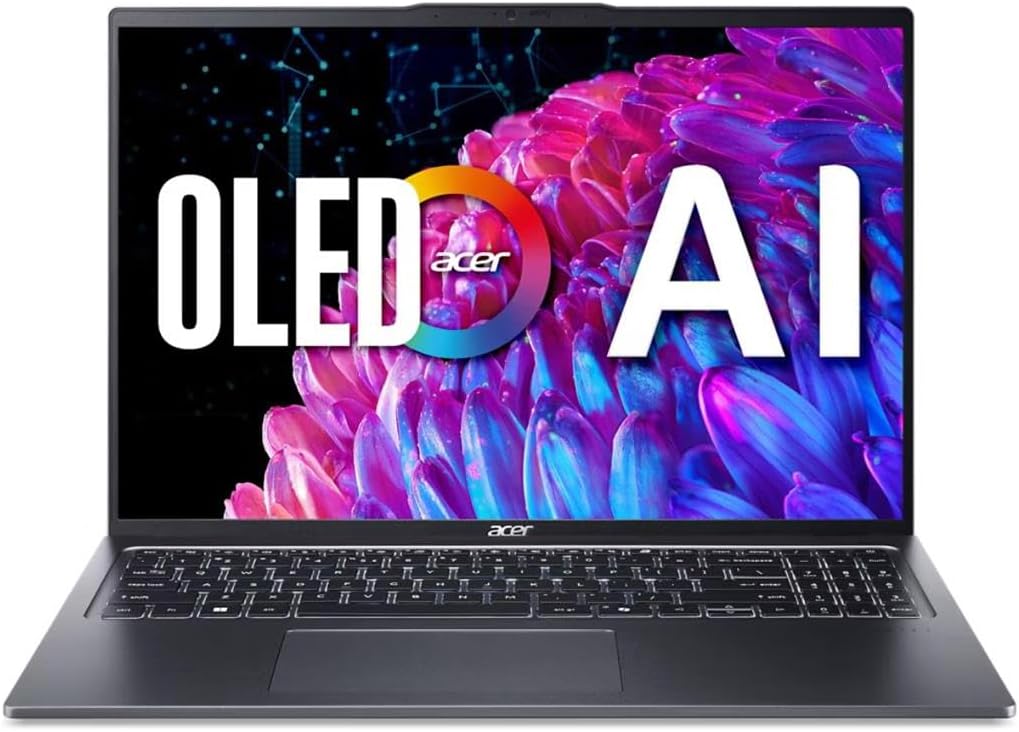
Acer Swift Go 16 OLED Laptop, Intel Core Ultra 5 125H, 8GB RAM, 512GB SSD, 16-inch 3200 x 2000 120Hz
It is the lowest-priced OLED here for 1080p editing.
In-Depth Reviews
1. GPU, Memory and Screen
NVIDIA RTX GPUs speed up exports and many effects in Premiere Pro and DaVinci Resolve through their media engines. Intel Arc graphics also accelerate video, but they are slower for heavy effects, so the Acer Swift models suit lighter 1080p work best.
Memory decides how smooth a long timeline feels. 16GB handles 1080p and short 4K projects; 32GB, as on the Nitro V 16S, is better for longer 4K edits. The Swift models' 8GB is the weak spot to plan around.
2. Lenovo IdeaPad Pro 5 OLED (RTX 5050): Best Budget Laptop for Video Editing
The Lenovo IdeaPad Pro 5 OLED (RTX 5050) has an RTX 5050, 16GB of memory and a 1TB SSD, with a 16-inch 2.8K OLED screen at 120Hz. A 2.8K OLED plus an RTX 5050 covers color and GPU exports, sold by Amazon.
3. Lenovo Legion 5a OLED (RTX 5060): Best Budget OLED With RTX 5060
The Lenovo Legion 5a OLED (RTX 5060) has an AMD Ryzen 7 250, an RTX 5060 with 8GB of video memory, 16GB of memory and a 1TB SSD, with a 15.3-inch 2560 x 1600 OLED at 165Hz. It steps up to an RTX 5060 with a 15.3-inch OLED.
4. Acer Nitro V 16S (RTX 5060): Best Budget Editor With 32GB
The Acer Nitro V 16S (RTX 5060) has an AMD Ryzen 7 260, an RTX 5060, 32GB of DDR5 and a 1TB SSD, with a 16-inch 180Hz screen and a free M.2 slot. 32GB of memory handles longer 4K timelines.
5. Lenovo LOQ 15 (RTX 5060): Best Lower-Cost RTX 5060
The Lenovo LOQ 15 (RTX 5060) has an 8-core AMD Ryzen 7 250, an RTX 5060 with 8GB of GDDR7, 16GB of DDR5 that expands to 32GB and a 512GB SSD, with a 15.6-inch FHD IPS screen at 144Hz and HDMI 2.1. It brings RTX 5060 exports at a lower price.
6. Acer Swift 16 OLED (Ultra 5): Best Budget OLED Without a GPU
The Acer Swift 16 OLED (Ultra 5) has a 14-core Intel Core Ultra 5 125H, 8GB of RAM and a 512GB SSD, with a 16-inch 3200 x 2000 OLED at 120Hz with 100% DCI-P3 and DisplayHDR True Black 500, two USB4 ports and Wi-Fi 6E. A 3.2K OLED with 100% DCI-P3 suits color work and lighter edits.
7. Acer Swift Go 16 OLED: Lowest-Cost OLED Editing Laptop
The Acer Swift Go 16 OLED has an Intel Core Ultra 5 125H, 8GB of RAM and a 512GB SSD, with a 16-inch 3200 x 2000 OLED at 120Hz and DisplayHDR True Black 500, Thunderbolt USB-C ports, Wi-Fi 6E and a fingerprint reader. It is the lowest-priced OLED here for 1080p editing.
How to Choose a Budget Laptop for Video Editing
Pick an RTX GPU for 4K
RTX 5050 or 5060 laptops export much faster than integrated graphics.
16GB or more
8GB laptops struggle with 4K timelines.
OLED screens
OLED panels like the IdeaPad Pro 5 show deep blacks and rich color.
Storage
Keep projects on a fast external SSD if the internal drive is 512GB.
Quick Setup Tips
- Use the right power mode: balanced for battery, performance when plugged in
- Keep drivers current: creative apps rely on up-to-date GPU drivers
- Back up your projects: use cloud or an external SSD
- Add a dock or USB-C hub: it makes a laptop a desk setup in seconds
- Check the live price: use the buttons to see the current price on Amazon
Frequently Asked Questions
What is the best budget laptop for video editing?
The Lenovo IdeaPad Pro 5 with a 16-inch 2.8K OLED and an RTX 5050, sold by Amazon.
Is 16GB RAM enough for video editing?
For 1080p and short 4K projects, yes. 32GB helps with longer 4K edits.
Do I need a GPU for video editing?
Not for simple 1080p edits, but an RTX GPU speeds up exports and effects a lot.
Is an OLED screen good for editing?
Yes. OLED panels show accurate contrast and wide color.
Can a budget laptop edit 4K video?
Yes with an RTX GPU and 16GB or more; expect slower exports than high-end laptops.
The Bottom Line
The Lenovo IdeaPad Pro 5 is the best budget laptop for video editing in our check. Choose the Acer Nitro V 16S for 32GB of memory, or the Acer Swift 16 OLED for color work without a GPU.