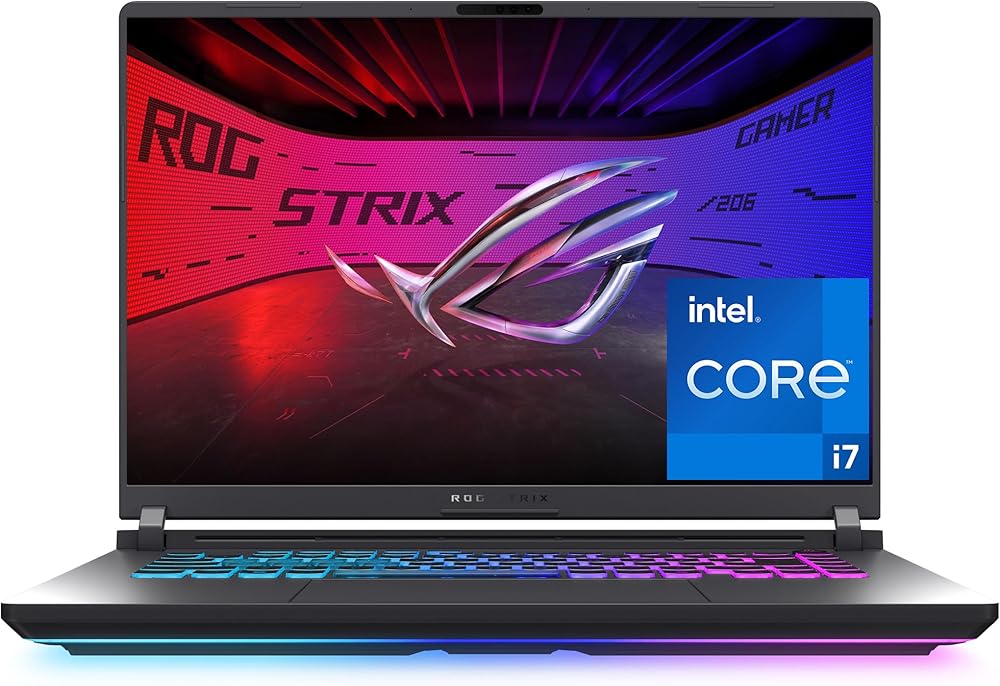
Heads up: we may earn a commission when you buy through links on this page, at no extra cost to you. As an Amazon Associate we earn from qualifying purchases. How we make money
Short on time? Our top pick is Acer Nitro V 16, HP Victus 15 (32GB takes Best Budget Streaming Laptop With 32GB, while GIGABYTE Gaming A16 takes Best Budget 1TB Streaming Laptop.
- Best Budget Laptop for Streaming Acer Nitro V 16 Check price
- Best Budget Streaming Laptop With 32GB HP Victus 15 (32GB Check price
- Best Budget 1TB Streaming Laptop GIGABYTE Gaming A16 Check price
Shopping on Amazon? Get it faster with Prime
Free fast delivery on eligible items above, Prime-only deals and Prime Video. New members can try it free for 30 days and cancel anytime.
The best budget laptop for streaming has an NVIDIA RTX GPU. That matters because the GPU's built-in video encoder handles the stream, leaving the processor free to run your game. Every pick here has an RTX 40 or RTX 50 series GPU.
We focused on lower-priced RTX laptops with enough memory to run a game, OBS and chat together. We checked each Amazon listing in October 2026 and used only the specs the maker or seller lists. We do not list exact prices because Amazon prices change in real time. Use the buttons to see the current price and availability on Amazon before you buy. Scores are our editorial scores out of 10, not Amazon customer ratings.
Best Budget Streaming Laptops at a Glance
| Award | Laptop | Graphics | Why It Fits | Score |
|---|---|---|---|---|
| Best Budget Laptop for Streaming | Acer Nitro V 16 (RTX 5060) | RTX 5060 | RTX 5060, 180Hz | 8.9/10 |
| Best Budget Streaming Laptop With 32GB | HP Victus 15 (32GB, RTX 4050) | RTX 4050 | RTX 4050, 32GB | 8.7/10 |
| Best Budget 1TB Streaming Laptop | GIGABYTE Gaming A16 (RTX 5060) | RTX 5060 | RTX 5060, 1TB | 8.5/10 |
| Best Light Budget Streamer | MSI Thin 15 (RTX 4050) | RTX 4050 | RTX 4050, slim | 8.3/10 |
| Best Low-Cost RTX 50 Streamer | Acer Nitro V 15 (RTX 5050) | RTX 5050 | RTX 5050, 165Hz | 8.1/10 |
| Best Budget Streamer With Cooling Pad | HP Victus 15 (i5, RTX 4050) | RTX 4050 | RTX 4050, 1TB | 7.9/10 |

Acer Nitro V 16 Gaming Laptop, Intel Core 7 240H, GeForce RTX 5060, 16GB DDR5, 512GB SSD
An RTX 5060 streams and games at 1080p, and it was sold by Amazon.

HP Victus 15.6-inch Gaming Laptop, AMD Ryzen 7 7445HS, GeForce RTX 4050 6GB, 32GB DDR5, 1TB SSD, FHD 144Hz
32GB of memory keeps OBS, a browser and chat smooth.

GIGABYTE Gaming A16 Laptop, AMD Ryzen 7 260, GeForce RTX 5060, 16GB DDR5, 1TB SSD, 16-inch WUXGA 165Hz
A 1TB SSD leaves room for recordings and clips.
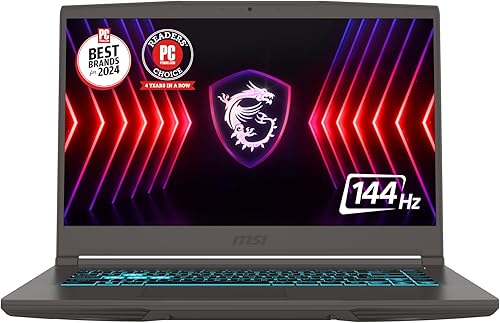
MSI Thin 15 Gaming Laptop, Intel Core i7-13620H, GeForce RTX 4050, 16GB DDR4, 512GB SSD, 15.6-inch FHD 144Hz
A slim body suits streaming from different rooms or events.

Acer Nitro V 15 Gaming Laptop, Intel Core i5-13420H, GeForce RTX 5050, 16GB RAM, 512GB SSD, 15.6-inch FHD 165Hz
It brings an RTX 50 GPU at one of the lowest prices here.

HP Victus 15.6-inch Gaming Laptop, Intel Core i5-13420H, GeForce RTX 4050, 16GB RAM, 1TB SSD, FHD 144Hz
The seller bundles a cooling pad for long streams.
In-Depth Reviews
1. Why an RTX GPU Helps Streaming
NVIDIA GPUs include a dedicated video encoder that OBS can use to compress your stream. Because that work happens on its own hardware, your game keeps more of the processor and GPU. Even the RTX 4050 laptops here can stream at 1080p while gaming.
For bigger budgets and higher settings, see our gaming laptops for streaming guide.
2. Acer Nitro V 16 (RTX 5060): Best Budget Laptop for Streaming
The Acer Nitro V 16 (RTX 5060) has an Intel Core 7 240H, an RTX 5060, 16GB of DDR5 in two slots that hold up to 32GB and a 512GB Gen 4 SSD, with a 16-inch WUXGA IPS screen at 180Hz and 100% sRGB. An RTX 5060 streams and games at 1080p, and it was sold by Amazon.
3. HP Victus 15 (32GB, RTX 4050): Best Budget Streaming Laptop With 32GB
The HP Victus 15 (32GB, RTX 4050) has a 6-core AMD Ryzen 7 7445HS, an RTX 4050 with 6GB, 32GB of DDR5 and a 1TB SSD, with a 15.6-inch FHD IPS screen at 144Hz, Ethernet and a full keyboard with number pad. 32GB of memory keeps OBS, a browser and chat smooth.
4. GIGABYTE Gaming A16 (RTX 5060): Best Budget 1TB Streaming Laptop
The GIGABYTE Gaming A16 (RTX 5060) has an AMD Ryzen 7 260, an RTX 5060, 16GB of DDR5 and a 1TB SSD, with a 16-inch 1920 x 1200 screen at 165Hz, a 180-degree hinge and a 19.45mm chassis. A 1TB SSD leaves room for recordings and clips.
5. MSI Thin 15 (RTX 4050): Best Light Budget Streamer
The MSI Thin 15 (RTX 4050) has an Intel Core i7-13620H, an RTX 4050, 16GB of DDR4 and a 512GB SSD in a slim body, with a 15.6-inch FHD screen at 144Hz and Wi-Fi 6E. A slim body suits streaming from different rooms or events.
6. Acer Nitro V 15 (RTX 5050): Best Low-Cost RTX 50 Streamer
The Acer Nitro V 15 (RTX 5050) has an Intel Core i5-13420H, an RTX 5050, 16GB of RAM and a 512GB SSD, with a 15.6-inch FHD IPS screen at 165Hz. It brings an RTX 50 GPU at one of the lowest prices here.
7. HP Victus 15 (i5, RTX 4050): Best Budget Streamer With Cooling Pad
The HP Victus 15 (i5, RTX 4050) has an Intel Core i5-13420H, an RTX 4050 with 6GB of GDDR6, 16GB of RAM and a 1TB SSD, with a 15.6-inch FHD IPS screen at 144Hz and a 70Wh fast charge battery; the seller bundles a cooling pad. The seller bundles a cooling pad for long streams.
How to Choose a Budget Laptop for Streaming
RTX GPU
Any RTX 40 or 50 series GPU includes a hardware encoder.
Memory
16GB minimum; 32GB, as on the HP Victus here, helps with browser sources and chat.
Storage
Recordings fill drives fast; 1TB or an external SSD helps.
Webcam and mic
Laptop cameras are basic; a USB webcam and mic upgrade your stream most.
Quick Setup Tips
- Update the GPU driver: new drivers often add fixes for new games
- Turn on DLSS where offered: it raises frame rates on RTX laptops
- Plug in while gaming: laptop GPUs run at full power only on AC
- Keep the vents clear: use a hard surface or a stand
- Check the live price: use the buttons to see the current price on Amazon
Frequently Asked Questions
What is the best budget laptop for streaming?
The Acer Nitro V 16 with an RTX 5060, sold by Amazon when we checked.
Do I need an NVIDIA GPU to stream?
It helps a lot. NVIDIA's hardware encoder lets you stream without slowing your game much.
Is 16GB enough for streaming?
Yes for basic streams; 32GB helps with many browser sources and apps.
Can an RTX 4050 laptop stream games?
Yes, at 1080p for most games.
Should I stream on Wi-Fi?
Use Ethernet when you can for a steadier upload.
The Bottom Line
The Acer Nitro V 16 is the best budget laptop for streaming in our check. Choose the HP Victus with 32GB for heavy multitasking, or the GIGABYTE Gaming A16 for a 1TB SSD.