Heads up: we may earn a commission when you buy through links on this page, at no extra cost to you. As an Amazon Associate we earn from qualifying purchases. How we make money
Short on time? Our top pick is Alienware 16 Area-51, ASUS ROG Strix G16 takes Best Value High-End Streamer, while MSI Crosshair A16 HX takes Best for Multitasking.
- Best Overall for Streaming Alienware 16 Area-51 Check price
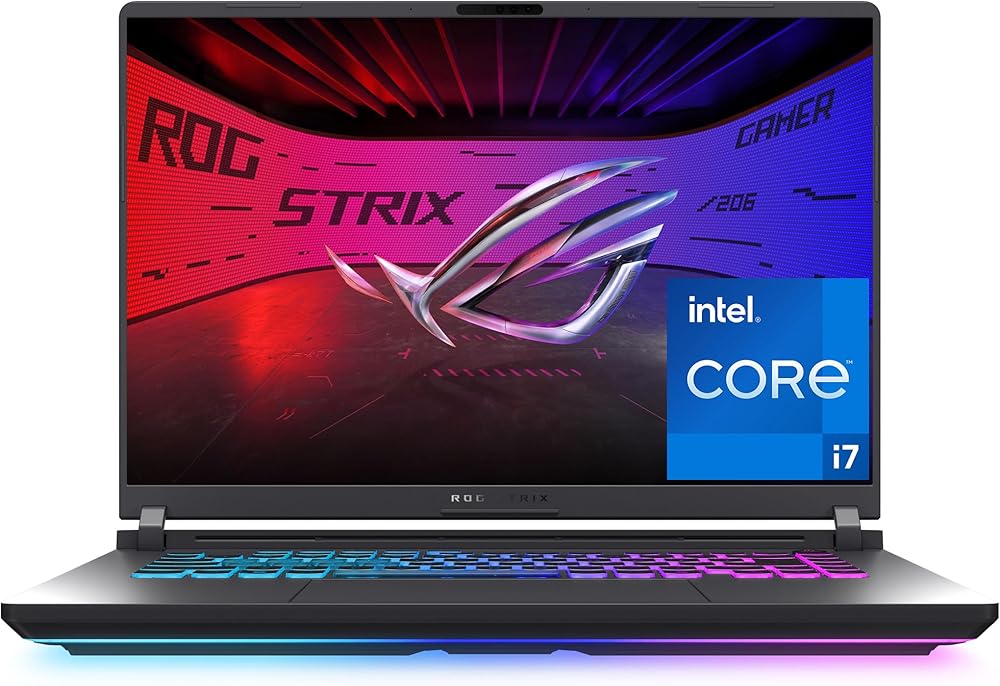
- Best Value High-End Streamer ASUS ROG Strix G16 Check price
- Best for Multitasking MSI Crosshair A16 HX Check price
Shopping on Amazon? Get it faster with Prime
Free fast delivery on eligible items above, Prime-only deals and Prime Video. New members can try it free for 30 days and cancel anytime.
The best gaming laptop for streaming has to play the game, encode the video and run your chat, overlays and browser at the same time. That means a strong NVIDIA RTX GPU with its hardware video encoder, a fast multi-core CPU and enough memory so nothing stutters mid-stream.
We picked five laptops that handle Twitch, YouTube and Kick streaming well, from a high-end Alienware to an affordable RTX 5060 option. Specs come from each maker's Amazon listing. Scores are our editorial scores out of 10, not Amazon customer ratings.
Best Gaming Laptops for Streaming at a Glance
| Award | Laptop | CPU / GPU | Memory | Score |
|---|---|---|---|---|
| Best Overall for Streaming | Alienware 16 Area-51 (RTX 5070 Ti) | Core Ultra 9 275HX / RTX 5070 Ti | 32GB | 9.1/10 |
| Best Value High-End Streamer | ASUS ROG Strix G16 (RTX 5070 Ti) | Core Ultra 9 275HX / RTX 5070 Ti | 32GB DDR5 | 9.0/10 |
| Best for Multitasking | MSI Crosshair A16 HX (RTX 5070) | Ryzen 9 8940HX / RTX 5070 | 32GB DDR5 | 8.8/10 |
| Best Built-In Webcam | HP HyperX OMEN 15 (RTX 5050) | Ryzen 5 240 / RTX 5050 | 16GB DDR5 | 8.6/10 |
| Best Budget Streaming Laptop | Acer Nitro V 16S (RTX 5060) | Ryzen 7 260 / RTX 5060 | 32GB DDR5 | 8.4/10 |

Alienware 16 Area-51 Gaming Laptop, Intel Core Ultra 9 275HX, GeForce RTX 5070 Ti, 32GB
A 24-core Core Ultra 9 275HX, an RTX 5070 Ti and 32GB of memory give plenty of headroom to game and stream at once.
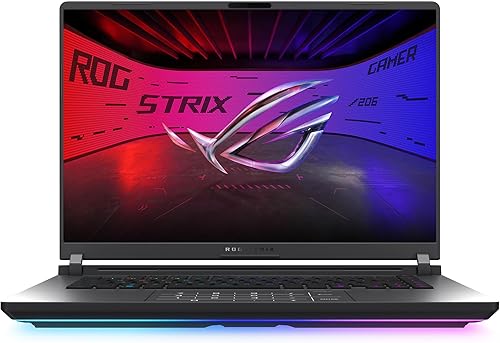
ASUS ROG Strix G16 (2025) Gaming Laptop, Intel Core Ultra 9 275HX, GeForce RTX 5070 Ti, 32GB DDR5, 1TB, 2.5K 240Hz
The same CPU and GPU class as the Alienware for less, plus a 2.5K 240Hz screen and Wi-Fi 7 for stable uploads.

MSI Crosshair A16 HX Gaming Laptop, AMD Ryzen 9 8940HX, GeForce RTX 5070, 32GB DDR5, 1TB, 16-inch 2.5K 240Hz
A Ryzen 9 HX chip with 32GB of DDR5 and an RTX 5070 handles a game, OBS and a browser full of tabs together.
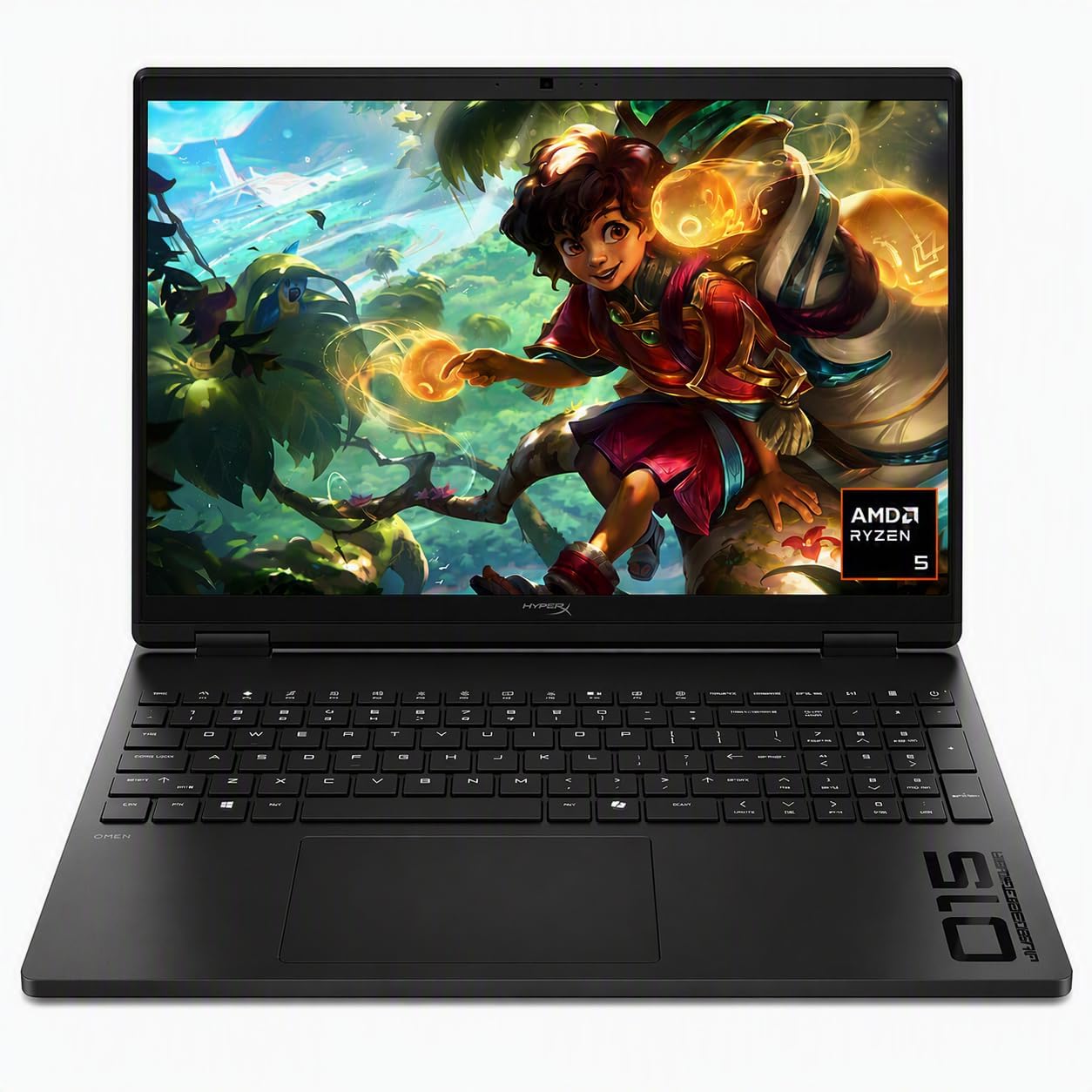
HP HyperX OMEN 15 Gaming Laptop, AMD Ryzen 5 240, GeForce RTX 5050, 16GB DDR5, 512GB SSD
An FHD camera with HDR auto-switch and dual digital mics make this the best ready-to-go option for new streamers.

Acer Nitro V 16S Gaming Laptop, AMD Ryzen 7 260, GeForce RTX 5060, 32GB DDR5, 1TB SSD
32GB of DDR5, a 1TB SSD and an RTX 5060 at a mid-range price, sold by Amazon.
In-Depth Reviews
1. Alienware 16 Area-51 (RTX 5070 Ti): Best Overall for Streaming
The Alienware 16 Area-51 uses an Intel Core Ultra 9 275HX and an RTX 5070 Ti with 32GB of memory. Dell says Area-51 is built for higher graphics and processor power limits, which helps when the CPU and GPU both work hard during a stream.
Its Cryo-Chamber cooling props up the laptop for a larger air intake, and Dell includes one year of onsite service.
2. ASUS ROG Strix G16 (RTX 5070 Ti): Best Value High-End Streamer
The ASUS ROG Strix G16 pairs the same Core Ultra 9 275HX class CPU with an RTX 5070 Ti, 32GB of DDR5-5600 and a 1TB SSD.
Wi-Fi 7 helps if you cannot run a cable, and the 16-inch 2.5K 240Hz screen gives room for game and chat side by side.
3. MSI Crosshair A16 HX (RTX 5070): Best for Multitasking
The MSI Crosshair A16 HX runs an AMD Ryzen 9 8940HX with 32GB of DDR5, a 1TB SSD and an RTX 5070. That memory headroom keeps OBS, overlays and browser sources smooth.
Its 16-inch 2560 x 1600 screen runs at 240Hz, with Wi-Fi 6E and USB-C.
4. HP HyperX OMEN 15 (RTX 5050): Best Built-In Webcam
Most gaming laptops ship with basic webcams. The HP HyperX OMEN 15 has an FHD camera with HDR auto-switch for tricky backlight, plus temporal noise reduction and dual digital mics.
Inside are an AMD Ryzen 5 240, an RTX 5050 with 8GB of GDDR7 and 16GB of DDR5. It also has an RJ-45 port for a wired connection.
5. Acer Nitro V 16S (RTX 5060): Best Budget Streaming Laptop
The Acer Nitro V 16S gives you 32GB of DDR5-5600, a 1TB SSD and an RTX 5060 for less than the high-end picks. Its AMD Ryzen 7 260 handles 1080p streams of popular games.
Add a USB webcam and mic and it makes a strong first streaming setup.
How to Choose a Laptop for Streaming
NVIDIA Encoding
Every RTX laptop GPU includes NVIDIA's hardware video encoder (NVENC). It moves stream encoding off the CPU so games stay smooth.
CPU and RAM
OBS, chat, alerts and browser sources all use CPU time and memory. Aim for 32GB if you stream often.
Wired Internet
A stable upload matters more than speed tests. Use Ethernet when you can, or Wi-Fi 6E or 7.
Camera and Mic
Built-in webcams are mostly basic. A USB camera and mic improve quality the most for the money.
Recording Storage
Saved VODs use a lot of space. Record to a second drive; see our budget external SSD guide.
Quick Setup Tips
- Use the NVENC encoder in OBS: it keeps CPU load low
- Plug in the charger: laptops cut performance on battery
- Use a second monitor: keep chat and OBS off your game screen
- Raise the laptop: better airflow keeps clocks steady
- Test before you go live: record a short local test first
Frequently Asked Questions
What is the best gaming laptop for streaming?
The Alienware 16 Area-51 with an RTX 5070 Ti, Core Ultra 9 275HX and 32GB of memory.
Can a gaming laptop stream and game at the same time?
Yes. RTX laptops encode video on the GPU, so a good gaming laptop can play and stream together.
How much RAM do I need for streaming?
16GB works for simple streams; 32GB is better with overlays, browser sources and chat.
Do I need an external webcam?
Usually yes for better quality. The HP HyperX OMEN 15 has one of the better built-in FHD cameras.
Is Wi-Fi good enough for streaming?
It can be, but a wired Ethernet connection is more stable.
The Bottom Line
The Alienware 16 Area-51 is the best gaming laptop for streaming if you want the most headroom. The ASUS ROG Strix G16 offers similar power for less, and the Acer Nitro V 16S is the best budget start.