Heads up: we may earn a commission when you buy through links on this page, at no extra cost to you. As an Amazon Associate we earn from qualifying purchases. How we make money
Short on time? Our top pick is SanDisk Optimus GX 7100 2TB, Crucial P310 2TB takes Best Value 2TB Upgrade, while Samsung 990 EVO Plus 1TB takes Best Flexible Upgrade.
- Best Laptop SSD Upgrade for Gaming SanDisk Optimus GX 7100 2TB Check price
- Best Value 2TB Upgrade Crucial P310 2TB Check price
- Best Flexible Upgrade Samsung 990 EVO Plus 1TB Check price
Shopping on Amazon? Get it faster with Prime
Free fast delivery on eligible items above, Prime-only deals and Prime Video. New members can try it free for 30 days and cancel anytime.
The best laptop SSD upgrade for gaming is one of the simplest ways to stop juggling installs. Swapping the stock drive for a 2TB or 4TB NVMe, or adding one to a spare slot, gives you room for a full library.
This guide covers drives for the common M.2 2280 slot and for laptops that take the short M.2 2230 size, then walks through the swap. We checked every listing on Amazon in October 2026 and used the specs the makers publish there. We do not list prices because Amazon prices change in real time; use the buttons to see the current price and availability. Scores are our editorial scores out of 10, not Amazon customer ratings.
Best Laptop SSD Upgrades for Gaming at a Glance
| Award | Drive | Size / Read | Upgrade Path | Score |
|---|---|---|---|---|
| Best Laptop SSD Upgrade for Gaming | SanDisk Optimus GX 7100 2TB | 2280 / 7,250MB/s | Most 2280 laptops | 9.1/10 |
| Best Value 2TB Upgrade | Crucial P310 2TB (2280) | 2280 / 7,100MB/s | Speed for less | 8.8/10 |
| Best Flexible Upgrade | Samsung 990 EVO Plus 1TB | 2280 / 7,150MB/s | Gen4 x4 or Gen5 x2 slots | 8.6/10 |
| Best 2230 Laptop Upgrade | Crucial P310 2TB (2230) | 2230 / 7,100MB/s | Surface and select Dell | 8.4/10 |
| Best 4TB Upgrade | TEAMGROUP MP44 4TB NVMe SSD | 2280 / 7,000MB/s+ | The biggest libraries | 8.2/10 |

SanDisk Optimus GX 7100 2TB NVMe SSD, PCIe 4.0, M.2 2280
The 2TB GX 7100 reads up to 7,250MB/s with SanDisk's power-efficient design for laptops.

Crucial P310 2TB SSD, PCIe Gen4 NVMe M.2 2280
A 2TB Gen4 drive with reads up to 7,100MB/s and Micron G8 NAND, listed for laptops and big-screen handhelds.

Samsung SSD 990 EVO Plus 1TB, PCIe 4.0 x4 / 5.0 x2, M.2 2280
Reads up to 7,150MB/s and runs on PCIe 4.0 x4 or 5.0 x2, with a nickel-coated controller aimed at battery life.

Crucial P310 2TB M.2 2230 SSD, PCIe Gen4 NVMe
The fastest 2TB 2230 drive we found that names the Steam Deck, with reads up to 7,100MB/s and a low power design.
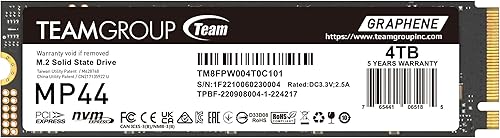
TEAMGROUP MP44 4TB M.2 2280 PCIe 4.0 NVMe SSD
4TB of Gen4 storage with reads over 7,000MB/s and a graphene label, for the biggest laptop game libraries.
In-Depth Reviews
1. Swap or Add? Planning Your Upgrade
If your laptop has a free M.2 slot, adding a second drive is the easiest upgrade: install it, format it, and point your game launcher at it. If there is only one slot, you will replace the boot drive, so clone it first or plan a clean Windows install.
Some thin laptops and tablets use the shorter M.2 2230 size. Crucial lists the P310 2230 for Microsoft Surface and select Dell laptops, which is why it is on this list.
2. SanDisk Optimus GX 7100 2TB: Best Laptop SSD Upgrade for Gaming
The SanDisk Optimus GX 7100 2TB has the same 7,250MB/s read and 6,900MB/s write ratings at 2TB. SanDisk's power-efficient architecture and 8th generation BiCS TLC NAND make it a strong pick for laptops.
3. Crucial P310 2TB (2280): Best Value 2TB Upgrade
The Crucial P310 2TB keeps the 7,100MB/s read and 6,000MB/s write ratings at 2TB. Crucial lists laptops, desktops and handhelds such as the ROG Ally X and Legion Go, and builds it with Micron G8 NAND.
4. Samsung 990 EVO Plus 1TB: Best Flexible Upgrade
The Samsung 990 EVO Plus 1TB reads at up to 7,150MB/s and writes at up to 6,300MB/s. It works on PCIe 4.0 x4 and PCIe 5.0 x2, and Samsung says its nickel-coated controller lets it use less power, with laptops and battery life in mind. Intelligent TurboWrite 2.0 helps with large files.
5. Crucial P310 2TB (2230): Best 2230 Laptop Upgrade
The Crucial P310 2TB keeps the same 7,100MB/s read and 6,000MB/s write ratings as the 1TB model but doubles the space. Crucial names the Valve Steam Deck, ASUS ROG Ally, Microsoft Surface and select Dell laptops, and builds it with Micron G8 NAND and thermal control.
6. TEAMGROUP MP44 4TB NVMe SSD: Best 4TB Upgrade
The TEAMGROUP MP44 4TB offers 4TB with PCIe Gen4 speeds that TEAMGROUP says exceed 7,000MB/s. A heat dissipating graphene label helps cooling, and the listing names laptops and desktops.
How to Pick Your Laptop SSD Upgrade
Measure the slot
2280 is 80mm long; 2230 is 30mm. They are not interchangeable without an adapter bracket.
Match the PCIe generation
A Gen4 drive works in a Gen3 slot at Gen3 speed. The Samsung 990 EVO Plus also supports PCIe 5.0 x2.
Choose capacity
2TB suits most players; the TEAMGROUP MP44 4TB is for very large libraries.
Plan the software
Acronis cloning software comes with several drives in our guides, including Kingston and WD models.
Quick Setup Tips
- Power off and unplug: and follow your laptop maker's service steps
- Discharge static: touch a grounded metal object before handling the drive
- Keep the screws safe: M.2 screws are tiny and easy to lose
- Clone or reinstall: clone the old drive, or reinstall Windows on the new one
- Check the live price: use the buttons to see the current price on Amazon
Frequently Asked Questions
What is the best laptop SSD upgrade for gaming?
The SanDisk Optimus GX 7100 2TB, with reads up to 7,250MB/s and a power-efficient design.
How do I know which SSD fits my laptop?
Check the manual or support page for the M.2 length (2280 or 2230) and PCIe generation.
Can I add a second SSD to my gaming laptop?
If there is a free M.2 slot, yes. Many larger gaming laptops have one.
Do I need to reinstall Windows?
Not if you clone the old drive. Otherwise, a clean install is a good fresh start.
Is 4TB worth it for laptop gaming?
If you keep many large games installed, yes. Otherwise 2TB is plenty.
The Bottom Line
The SanDisk Optimus GX 7100 2TB is the best laptop SSD upgrade for gaming in a 2280 slot. Choose the Crucial P310 2TB for value, or the Crucial P310 2TB (2230) if your laptop takes the short size.