Heads up: we may earn a commission when you buy through links on this page, at no extra cost to you. As an Amazon Associate we earn from qualifying purchases. How we make money
Short on time? Our top pick is Crucial P310 1TB, TEAMGROUP MP44S 2TB takes Best 2TB Internal Upgrade, while fanxiang S630 1TB takes Best Budget Internal Upgrade.
- Best Internal SSD Upgrade Crucial P310 1TB Check price
- Best 2TB Internal Upgrade TEAMGROUP MP44S 2TB Check price
- Best Budget Internal Upgrade fanxiang S630 1TB Check price
Shopping on Amazon? Get it faster with Prime
Free fast delivery on eligible items above, Prime-only deals and Prime Video. New members can try it free for 30 days and cancel anytime.
The best Steam Deck storage upgrade depends on how much effort you want to put in. A microSD card adds space in seconds with no tools. An internal M.2 2230 SSD takes a screwdriver and a SteamOS reinstall, but every game then loads from fast NVMe storage.
This guide covers both routes. Valve's Steam Deck OLED tech specs list a UHS-I microSD slot that supports SD, SDXC and SDHC, so every Deck can take a card. We checked every listing on Amazon in October 2026 and used the specs the makers publish there. We do not list prices because Amazon prices change in real time; use the buttons to see the current price and availability. Scores are our editorial scores out of 10, not Amazon customer ratings.
Best Steam Deck Storage Upgrades at a Glance
| Award | Drive | Type / Speed | Best For | Score |
|---|---|---|---|---|
| Best Internal SSD Upgrade | Crucial P310 1TB (2230) | NVMe SSD / 7,100MB/s | Most owners | 9.1/10 |
| Best 2TB Internal Upgrade | TEAMGROUP MP44S 2TB | NVMe SSD / 5,000MB/s | Huge libraries | 8.9/10 |
| Best Budget Internal Upgrade | fanxiang S630 1TB (2230) | NVMe SSD / 5,000MB/s | Saving money | 8.5/10 |
| Best microSD Upgrade | Samsung PRO Plus 1TB microSD | microSD / 180MB/s | No tools needed | 8.3/10 |
| Best Value microSD Card | TEAMGROUP A2 Pro Plus 1TB microSD | microSD / 160MB/s | Extra library space | 8.0/10 |

Crucial P310 1TB M.2 2230 SSD, PCIe Gen4 NVMe
Reads up to 7,100MB/s in the small 2230 size, with Crucial naming the Steam Deck, ROG Ally and Surface on the listing.
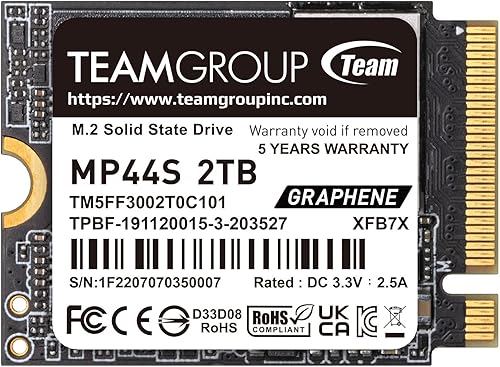
TEAMGROUP MP44S 2TB M.2 2230 PCIe 4.0 NVMe SSD
A 2TB 2230 drive TEAMGROUP pitches for Steam Deck upgrades, with a graphene label and reads up to 5,000MB/s.

fanxiang S630 1TB M.2 2230 NVMe SSD, PCIe Gen 4x4
A 1TB S630 with a graphene heat sticker, reads up to 5,000MB/s and 5-year or 320TBW service, listed to fit Steam Deck.
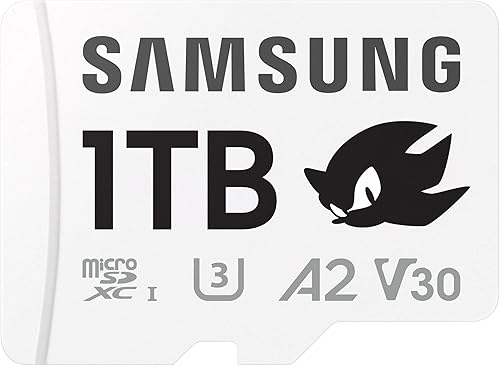
Samsung PRO Plus 1TB microSDXC card with adapter
A 1TB microSD card with reads up to 180MB/s and a 10-year limited warranty, for adding space without opening the Deck.

TEAMGROUP A2 Pro Plus 1TB microSDXC UHS-I U3 A2 V30
A 1TB A2 card that names the Steam Deck in its title, with reads up to 160MB/s.
In-Depth Reviews
1. SSD or microSD: Which Upgrade Should You Choose?
Pick an internal SSD if you play big, modern games and want the fastest installs and loads. Even the slowest SSD here is rated far faster than any microSD card.
Pick a microSD card if you do not want to open the Deck, or if you mostly play older and smaller games. Many owners do both: a larger SSD for current games and a card for the backlog. Card speed depends on the device; the Deck's slot is UHS-I, so treat the card's top rating as a best case.
2. Crucial P310 1TB (2230): Best Internal SSD Upgrade
The Crucial P310 1TB reads at up to 7,100MB/s and writes at up to 6,000MB/s. Crucial lists the Steam Deck, ROG Ally, Microsoft Surface and select Dell laptops, and says the drive is engineered for low power draw to extend battery life on handhelds. It is built with Micron G8 NAND.
3. TEAMGROUP MP44S 2TB: Best 2TB Internal Upgrade
The TEAMGROUP MP44S 2TB puts 2TB on a 22 x 30mm board with reads up to 5,000MB/s and writes up to 3,500MB/s. TEAMGROUP describes it as a top choice for Steam Deck capacity upgrades and uses a heat dissipating graphene label. When we checked, TEAMGROUP itself was the seller.
4. fanxiang S630 1TB (2230): Best Budget Internal Upgrade
The fanxiang S630 1TB reads at up to 5,000MB/s and writes at up to 3,600MB/s. fanxiang adds a graphene heat dissipation sticker, lists the Steam Deck among compatible devices and offers 5-year or 320TBW service.
5. Samsung PRO Plus 1TB microSD: Best microSD Upgrade
The Samsung PRO Plus 1TB microSD reads at up to 180MB/s and writes at up to 130MB/s, with a 10-year limited warranty and six-proof protection. It is the no-tools option: slot it in and SteamOS can format it as a game library.
6. TEAMGROUP A2 Pro Plus 1TB microSD: Best Value microSD Card
The TEAMGROUP A2 Pro Plus 1TB microSD is a UHS-I, U3, A2 and V30 card rated for reads up to 160MB/s and writes up to 110MB/s, and its listing names the Steam Deck.
How to Choose Your Steam Deck Storage Upgrade
Internal SSD: M.2 2230
Internal drives must be M.2 2230. The iFixit Steam Deck SSD replacement guide shows the swap step by step.
microSD: look for A2 and U3
A2 and U3 ratings point to better random and sustained performance for games and apps.
Budget your effort
A card takes seconds. An SSD swap means opening the Deck and reinstalling SteamOS.
Mix both
Keep demanding games on the SSD and move older titles to the card in Steam's storage settings.
Quick Setup Tips
- Drain the battery below 25%: iFixit recommends this before you open the Deck
- Remove the microSD card first: iFixit warns the back cover can snap a card left in the slot
- Move the ESD shield: transfer the shielding from the old SSD to the new one
- Reinstall SteamOS: follow Valve's SteamOS recovery instructions
- Check the live price: use the buttons to see the current price on Amazon
Frequently Asked Questions
What is the best Steam Deck storage upgrade?
For most owners, an internal Crucial P310 1TB SSD. For a no-tools upgrade, a 1TB Samsung PRO Plus microSD card.
Is microSD fast enough for Steam Deck games?
It works well for older and smaller games. Large modern games load faster from an internal NVMe SSD.
Do I need to reinstall SteamOS for a microSD card?
No. SteamOS can format the card as a game library. You only reinstall when you replace the internal SSD.
Can I use a 2TB SSD and a 1TB card together?
Yes. Steam lets you choose which drive each game installs to.
What microSD type does the Steam Deck use?
Valve lists a UHS-I slot that supports SD, SDXC and SDHC.
The Bottom Line
For the best Steam Deck storage upgrade, fit the Crucial P310 1TB inside. Choose the TEAMGROUP MP44S 2TB for a huge library, or add the Samsung PRO Plus 1TB microSD if you would rather not open the Deck.