Heads up: we may earn a commission when you buy through links on this page, at no extra cost to you. As an Amazon Associate we earn from qualifying purchases. How we make money
Short on time? Our top pick is Kingston NV3 1TB NVMe SSD, TEAMGROUP MP44L 2TB NVMe SSD takes Best Game Library Drive, while WD Green SN350 2TB NVMe SSD takes Best for Gen3 Boards.
- Best Boot Drive Kingston NV3 1TB NVMe SSD Check price
- Best Game Library Drive TEAMGROUP MP44L 2TB NVMe SSD Check price
- Best for Gen3 Boards WD Green SN350 2TB NVMe SSD Check price
Shopping on Amazon? Get it faster with Prime
Free fast delivery on eligible items above, Prime-only deals and Prime Video. New members can try it free for 30 days and cancel anytime.
Choosing the best SSD for budget gaming PC builds is about putting each dollar where it matters. Most budget builds do best with a fast NVMe boot drive for Windows and current games, then a larger, lower-cost drive for the rest of the library. Older PCs without M.2 slots can still get a big upgrade from a SATA SSD.
This guide is organized by role in the build, not by raw speed. Specs come from each maker's Amazon listing, checked on October 11, 2026. Scores are our editorial scores out of 10, not Amazon customer ratings. Prices change often, so use the buttons for the current price.
Best Storage for a Budget Gaming PC at a Glance
| Award | Drive | Role in the Build | Interface | Score |
|---|---|---|---|---|
| Best Boot Drive | Kingston NV3 1TB NVMe SSD | Windows and main games | PCIe 4.0 NVMe, M.2 2280 | 9.0/10 |
| Best Game Library Drive | TEAMGROUP MP44L 2TB NVMe SSD | Game library | PCIe 4.0 NVMe, M.2 2280 | 8.7/10 |
| Best for Gen3 Boards | WD Green SN350 2TB NVMe SSD | Library on older M.2 boards | PCIe 3.0 NVMe, M.2 2280 | 8.3/10 |
| Best for PCs Without M.2 | PNY CS900 2TB SATA SSD | Upgrade for older PCs | SATA III, 2.5-inch | 8.1/10 |
| Best Bulk Storage (HDD) | Seagate BarraCuda 2TB HDD | Backups, media, older games | SATA HDD, 3.5-inch | 7.8/10 |

Kingston NV3 1TB M.2 2280 NVMe SSD, PCIe 4.0 Gen 4x4
Gen4 reads up to 6,000MB/s, Acronis cloning software and a 5-year warranty make it the ideal boot drive for a budget build.

TEAMGROUP MP44L 2TB SLC Cache NVMe 1.4 PCIe Gen 4x4 M.2 2280 SSD
2TB of Gen4 storage at up to 4,800MB/s read and 4,400MB/s write, with a thin graphene label that fits under motherboard heatsinks.

WD Green SN350 2TB NVMe SSD, Gen3 PCIe, QLC, M.2 2280
A 2TB Gen3 NVMe drive reading at up to 3,200MB/s, close to the limit of a Gen3 slot, with WD's SSD Dashboard.
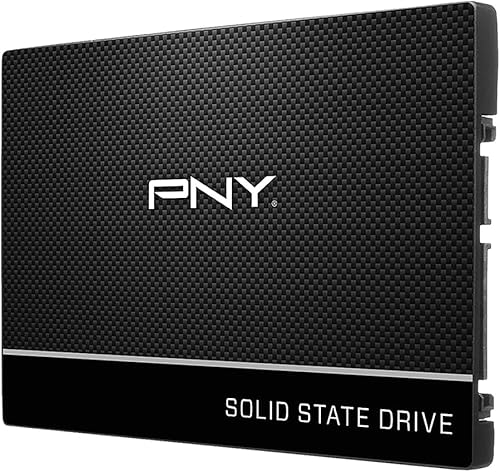
PNY CS900 2TB 2.5-Inch SATA III Internal SSD
A 2.5-inch SATA SSD for older or prebuilt PCs with no free M.2 slot, reading at up to 550MB/s, far faster than a hard drive.
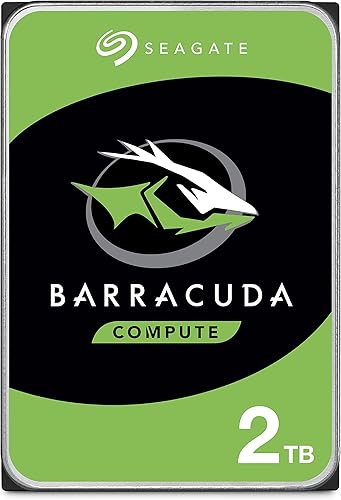
Seagate BarraCuda 2TB Internal Hard Drive, 3.5-Inch SATA 6Gb/s, 7200 RPM, 256MB Cache
A 7200 RPM hard drive for backups, videos and older games, with free DiscWizard software for cloning.
In-Depth Reviews
1. Three Budget Build Combos
Combo 1, most budget builds: Kingston NV3 1TB as the boot and main game drive. Add the TEAMGROUP MP44L 2TB later when your library grows.
Combo 2, older M.2 Gen3 board: Kingston NV3 1TB as the boot drive (it runs at Gen3 speed) plus the WD Green SN350 2TB for games.
Combo 3, older PC without M.2: PNY CS900 2TB as the main drive, with the Seagate BarraCuda 2TB for backups and media.
2. Kingston NV3 1TB: Best Boot Drive
The Kingston NV3 1TB reads at up to 6,000MB/s and writes at up to 4,000MB/s. Kingston includes Acronis cloning software and a 5-year limited warranty.
Put Windows and the games you play most on this drive for the fastest boot and load times.
3. TEAMGROUP MP44L 2TB: Best Game Library Drive
The TEAMGROUP MP44L 2TB reads at up to 4,800MB/s and writes at up to 4,400MB/s, more than double a Gen3 drive's speed, per TEAMGROUP. Its graphene label is under 1mm thick, so it fits under most motherboard M.2 heatsinks.
TEAMGROUP backs it with a 5-year or TBW limited warranty.
4. WD Green SN350 2TB: Best for Gen3 Boards
If your motherboard only has PCIe 3.0 M.2 slots, a Gen4 drive cannot run at full speed. The WD Green SN350 2TB reads at up to 3,200MB/s and cost less than the 2TB Gen4 drives in this guide in our check.
It uses QLC NAND and has a 3-year limited warranty, so it is best as a game library drive.
5. PNY CS900 2TB: Best for PCs Without M.2
Many older or prebuilt PCs have 2.5-inch SATA bays but no free M.2 slot. The PNY CS900 2TB reads at up to 550MB/s and writes at up to 530MB/s, which still makes Windows and games load far faster than a hard drive.
It has ultra-low power use and a 3-year warranty.
6. Seagate BarraCuda 2TB: Best Bulk Storage
The Seagate BarraCuda 2TB is a 7200 RPM hard drive with 256MB of cache. It is not an SSD, but it is useful for backups, video and older games you rarely play.
Keep current games on an SSD; many new games list an SSD in their requirements.
How to Pick Storage for a Budget Gaming PC
Check Your Motherboard
Count the M.2 slots and check whether they are PCIe 4.0 or 3.0. Also note SATA ports and 2.5-inch or 3.5-inch bays.
Boot Drive First
If you can buy only one drive, make it a 1TB NVMe SSD. It speeds up everything you do.
Add Space Later
A second M.2 drive or a SATA drive is easy to add when your library grows.
Do Not Overspend on Speed
Gen5 drives need a Gen5 slot, which most budget boards lack. A Gen4 drive is the right match.
More Options
See our best value SSD for gaming and best budget 1TB SSD guides.
Quick Setup Tips
- Use the top M.2 slot: it is usually the fastest one on the board
- Check lane sharing: some M.2 slots disable SATA ports when used
- Clone your old drive: use Acronis or DiscWizard to move Windows
- Keep free space: leave 10 to 20 percent free on your SSD
- Back up: use the hard drive for regular backups
Frequently Asked Questions
What is the best SSD for a budget gaming PC?
The best SSD for budget gaming PC builds is the Kingston NV3 1TB, a Gen4 NVMe drive with a 5-year warranty, used as your boot and main game drive.
Is 1TB enough for a budget gaming PC?
It is enough to start. Add a 2TB drive such as the TEAMGROUP MP44L 2TB as your library grows.
Should I buy a hard drive for gaming?
Only for backups, media and older games. Keep current games on an SSD.
Can I use a Gen4 SSD on a Gen3 motherboard?
Yes. It works at Gen3 speed, around 3,500MB/s at most.
What if my PC has no M.2 slot?
Use a 2.5-inch SATA SSD such as the PNY CS900 2TB.
The Bottom Line
For most budget gaming PCs, start with the Kingston NV3 1TB as your boot drive and add the TEAMGROUP MP44L 2TB for games. On older Gen3 boards choose the WD Green SN350 2TB, and in PCs without M.2 the PNY CS900 2TB, with the Seagate BarraCuda 2TB for backups.