

Heads up: we may earn a commission when you buy through links on this page, at no extra cost to you. As an Amazon Associate we earn from qualifying purchases. How we make money
Short on time? Our top pick is ASUS Vivobook 16, Lenovo IdeaPad Slim 5 16 takes Best AMD Windows Laptop, while Acer Aspire Go 16 takes Best Light 16-Inch.
- Best Budget Windows Laptop ASUS Vivobook 16 Check price
- Best AMD Windows Laptop Lenovo IdeaPad Slim 5 16 Check price
- Best Light 16-Inch Acer Aspire Go 16 Check price
Shopping on Amazon? Get it faster with Prime
Free fast delivery on eligible items above, Prime-only deals and Prime Video. New members can try it free for 30 days and cancel anytime.
The best budget windows laptop runs Windows 11 smoothly for years, not just on day one. That means 16GB of memory and an SSD, which keep Windows updates, a browser full of tabs and Office apps running without slowdowns.
Every pick here has 16GB of memory and a 512GB SSD. We checked each Amazon listing in October 2026 and used only the specs the maker or seller lists. We do not list exact prices because Amazon prices change in real time. Use the buttons to see the current price and availability on Amazon before you buy. Scores are our editorial scores out of 10, not Amazon customer ratings.
Best Budget Windows Laptops at a Glance
| Award | Laptop | Graphics | Why It Fits | Score |
|---|---|---|---|---|
| Best Budget Windows Laptop | ASUS Vivobook 16 (Core i7) | Intel UHD | Core i7, 16GB | 8.7/10 |
| Best AMD Windows Laptop | Lenovo IdeaPad Slim 5 16 (Ryzen 7) | Radeon 780M | 8-core Ryzen 7 | 8.5/10 |
| Best Light 16-Inch | Acer Aspire Go 16 (Core 7 150U) | Intel Graphics | 16", 3.7 lbs | 8.2/10 |
| Best Touchscreen Value | Acer Aspire 3 Touch (Ryzen 5, 16GB) | Radeon 610M | 16GB, touch | 7.9/10 |
| Best Lower-Cost Entry | ASUS Vivobook 16 (Core i5) | Iris Xe | Core i5, 16GB | 7.6/10 |
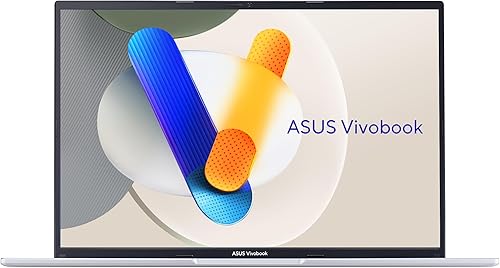
ASUS Vivobook 16 Laptop, Intel Core i7-13620H, 16GB RAM, 512GB SSD, 16-inch WUXGA
A Core i7-13620H, 16GB and a 16-inch 1920 x 1200 screen.

Lenovo IdeaPad Slim 5 16-inch WUXGA Laptop, AMD Ryzen 7 8845HS, 16GB LPDDR5X, 512GB SSD
An 8-core Ryzen 7 8845HS with Radeon 780M graphics and a matte 16-inch screen.
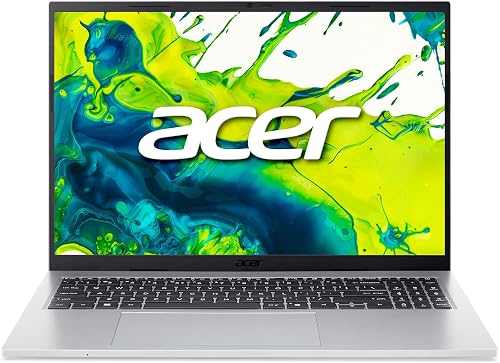
Acer Aspire Go 16 Laptop, 16-inch WUXGA IPS Touch, Intel Core 7 150U, 16GB DDR5, 512GB PCIe Gen4 SSD, Wi-Fi 6
A 10-core Core 7 150U and a 16-inch touchscreen in a 3.7 lb body.

Acer Aspire 3 15.6-inch Touchscreen Laptop, AMD Ryzen 5 7520U, 16GB DDR5, 512GB SSD
A 15.6-inch touchscreen with 16GB of DDR5 at a lower tier.
ASUS Vivobook 16 Laptop, Intel Core i5-13420H, 16GB RAM, 512GB SSD, 16-inch WUXGA
A Core i5-13420H and 16GB on a 16-inch 16:10 screen.
In-Depth Reviews
1. Why 16GB Matters on Windows
Windows 11 runs on 8GB, but background updates, security tools and a modern browser use a lot of memory. 16GB keeps the laptop responsive for years, which is why every pick here has it.
Watch for Windows 11 in S mode on the lowest-priced laptops; it only runs apps from the Microsoft Store until you switch out of it, so check the listing. Note that the Vivobook listings were from third-party sellers when we checked, so read the warranty terms.
2. ASUS Vivobook 16 (Core i7): Best Budget Windows Laptop
The ASUS Vivobook 16 (Core i7) has an Intel Core i7-13620H, 16GB of RAM and a 512GB SSD, with a 16-inch 1920 x 1200 screen at 300 nits. A Core i7-13620H, 16GB and a 16-inch 1920 x 1200 screen.
3. Lenovo IdeaPad Slim 5 16 (Ryzen 7): Best AMD Windows Laptop
The Lenovo IdeaPad Slim 5 16 (Ryzen 7) has an 8-core AMD Ryzen 7 8845HS with Radeon 780M graphics, 16GB of LPDDR5X and a 512GB SSD, with a 16-inch 1920 x 1200 matte screen. An 8-core Ryzen 7 8845HS with Radeon 780M graphics and a matte 16-inch screen.
4. Acer Aspire Go 16 (Core 7 150U): Best Light 16-Inch
The Acer Aspire Go 16 (Core 7 150U) has a 10-core Intel Core 7 150U, 16GB of DDR5 and a 512GB PCIe Gen4 SSD, with a 16-inch 1920 x 1200 IPS touchscreen and Wi-Fi 6 in a 3.7 lb body. A 10-core Core 7 150U and a 16-inch touchscreen in a 3.7 lb body.
5. Acer Aspire 3 Touch (Ryzen 5, 16GB): Best Touchscreen Value
The Acer Aspire 3 Touch (Ryzen 5, 16GB) has a 4-core, 8-thread AMD Ryzen 5 7520U with Radeon 610M graphics, 16GB of DDR5 and a 512GB SSD, with a 15.6-inch FHD multi-touch IPS screen. A 15.6-inch touchscreen with 16GB of DDR5 at a lower tier.
6. ASUS Vivobook 16 (Core i5): Best Lower-Cost Entry
The ASUS Vivobook 16 (Core i5) has an Intel Core i5-13420H with Iris Xe graphics, 16GB of memory and a 512GB SSD, with a 16-inch 1920 x 1200 screen at 300 nits. A Core i5-13420H and 16GB on a 16-inch 16:10 screen.
How to Choose a Budget Windows Laptop
Memory
16GB keeps Windows 11 responsive.
Storage
A 512GB SSD leaves room for updates and files.
S mode
Avoid it, or switch out of it after setup.
Screen
16:10 shows more of documents and web pages.
Quick Setup Tips
- Install updates: system and driver updates fix bugs and security issues
- Use a balanced power mode: it stretches battery life on long days
- Back up your files: use cloud storage or an external drive
- Add a USB-C hub: it turns a laptop into a desk setup in seconds
- Check the live price: use the buttons to see the current price on Amazon
Frequently Asked Questions
What is the best budget Windows laptop?
The ASUS Vivobook 16 with a Core i7-13620H and 16GB of RAM.
How much RAM does Windows 11 need?
It runs on 8GB, but 16GB stays faster over time.
What is Windows 11 S mode?
A mode that only runs Store apps until you switch out of it.
Is an AMD or Intel budget laptop better?
Both work well; the Ryzen 7 IdeaPad Slim 5 has the strongest graphics here.
Can these laptops play games?
Light games only; they use integrated graphics.
The Bottom Line
The ASUS Vivobook 16 Core i7 is the best budget Windows laptop in our check. Choose the Lenovo IdeaPad Slim 5 for AMD graphics, or the Acer Aspire Go 16 for a light 16-inch.


