Heads up: we may earn a commission when you buy through links on this page, at no extra cost to you. As an Amazon Associate we earn from qualifying purchases. How we make money
Short on time? Our top pick is Lenovo LOQ 15 (Ryzen 7, Lenovo V15 (Ryzen 5 takes Best Budget Laptop for Programming, while ASUS Vivobook 16 takes Best Budget 16-Inch for Code.
- Best Budget Laptop for CUDA Lenovo LOQ 15 (Ryzen 7 Check price
- Best Budget Laptop for Programming Lenovo V15 (Ryzen 5 Check price
- Best Budget 16-Inch for Code ASUS Vivobook 16 Check price
Shopping on Amazon? Get it faster with Prime
Free fast delivery on eligible items above, Prime-only deals and Prime Video. New members can try it free for 30 days and cancel anytime.
The best budget laptop for programming does not need a big GPU. For most coding, the things that matter are 16GB of memory, a decent multi-core processor, a fast SSD and a screen and keyboard you can use all day.
We picked five lower-priced laptops with 16GB of RAM, plus one with an NVIDIA GPU for students who need CUDA. We checked each Amazon listing in October 2026 and used only the specs the maker or seller lists. We do not list exact prices because Amazon prices change in real time. Use the buttons to see the current price and availability on Amazon before you buy. Scores are our editorial scores out of 10, not Amazon customer ratings.
Best Budget Programming Laptops at a Glance
| Award | Laptop | Graphics | Why It Fits | Score |
|---|---|---|---|---|
| Best Budget Laptop for CUDA | Lenovo LOQ 15 (Ryzen 7, RTX 4050) | RTX 4050 | RTX 4050, 8 cores | 8.9/10 |
| Best Budget Laptop for Programming | Lenovo V15 (Ryzen 5, 16GB) | Radeon 610M | Radeon 610M, 16GB | 8.7/10 |
| Best Budget 16-Inch for Code | ASUS Vivobook 16 (Core i7) | Intel UHD | Core i7, 16:10 | 8.5/10 |
| Best Budget Ryzen 7 Laptop | Acer Aspire Go 15 (Ryzen 7) | Radeon | Ryzen 7, 16GB | 8.3/10 |
| Best Big-Screen Budget Laptop | HP OmniBook 3 17 (Ryzen 3) | Radeon | 17.3", backlit keys | 8.0/10 |
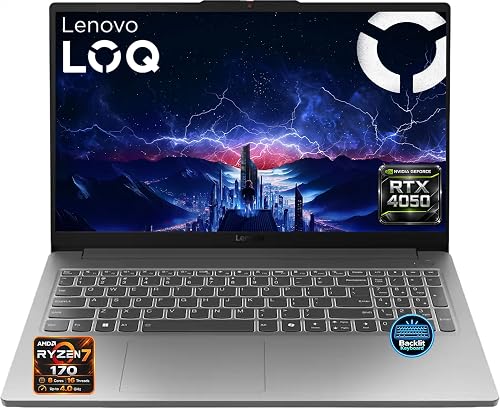
Lenovo LOQ 15.6-inch Gaming Laptop, AMD Ryzen 7 170, GeForce RTX 4050 6GB, 16GB DDR5, 512GB SSD, FHD 144Hz
An 8-core Ryzen 7 and an RTX 4050 handle builds and GPU coursework.

Lenovo V15 Laptop, AMD Ryzen 5 7520U, 16GB DDR5, 512GB SSD, 15.6-inch FHD, Windows 11 Pro
16GB of DDR5, Windows 11 Pro and Ethernet cover everyday coding.
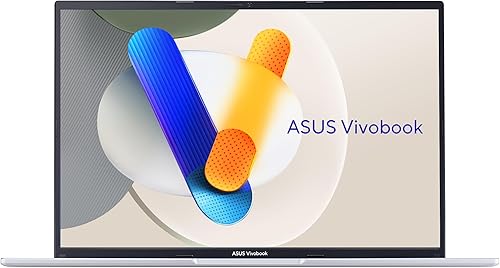
ASUS Vivobook 16 Laptop, Intel Core i7-13620H, 16GB RAM, 512GB SSD, 16-inch WUXGA
A Core i7 and a tall 16:10 screen show more lines of code.

Acer Aspire Go 15 Laptop, AMD Ryzen 7 7730U, AMD Radeon Graphics, 16GB RAM, 512GB SSD, 15.6-inch FHD
A Ryzen 7 with 16GB handles editors, browsers and local servers.

HP OmniBook 3 17.3-inch Laptop, AMD Ryzen 3 30, 8GB LPDDR5, 512GB SSD, FHD IPS
The 17.3-inch screen and backlit keyboard suit long sessions.
In-Depth Reviews
1. What Programming Actually Needs
Code editors, compilers, browsers, Docker and local databases all lean on memory, so 16GB is the real minimum for a smooth setup. Every pick except the OmniBook 3 has 16GB. A dedicated GPU only matters if you work with CUDA, game engines or GPU-heavy data work, which is why the RTX 4050 LOQ is here.
If you write mostly web or Python code, an integrated-graphics laptop like the Lenovo V15 or Vivobook 16 does the job for less. For heavier work, see our gaming laptops for programming guide.
2. Lenovo LOQ 15 (Ryzen 7, RTX 4050): Best Budget Laptop for CUDA
The Lenovo LOQ 15 (Ryzen 7, RTX 4050) has an 8-core AMD Ryzen 7 170, an RTX 4050 with 6GB of GDDR6, 16GB of DDR5 and a 512GB SSD, with a 15.6-inch FHD IPS screen at 144Hz, two memory slots, two M.2 slots and Gigabit Ethernet. An 8-core Ryzen 7 and an RTX 4050 handle builds and GPU coursework.
3. Lenovo V15 (Ryzen 5, 16GB): Best Budget Laptop for Programming
The Lenovo V15 (Ryzen 5, 16GB) has an AMD Ryzen 5 7520U with Radeon 610M graphics, 16GB of DDR5 and a 512GB SSD, with a 15.6-inch FHD anti-glare screen, MIL-STD 810H testing, Ethernet, a number pad and Windows 11 Pro. 16GB of DDR5, Windows 11 Pro and Ethernet cover everyday coding.
4. ASUS Vivobook 16 (Core i7): Best Budget 16-Inch for Code
The ASUS Vivobook 16 (Core i7) has an Intel Core i7-13620H, 16GB of RAM and a 512GB SSD, with a 16-inch 1920 x 1200 screen at 300 nits. A Core i7 and a tall 16:10 screen show more lines of code.
5. Acer Aspire Go 15 (Ryzen 7): Best Budget Ryzen 7 Laptop
The Acer Aspire Go 15 (Ryzen 7) has an AMD Ryzen 7 7730U, AMD Radeon graphics, 16GB of RAM and a 512GB SSD, with a 15.6-inch FHD screen; the seller bundles a laptop stand. A Ryzen 7 with 16GB handles editors, browsers and local servers.
6. HP OmniBook 3 17 (Ryzen 3): Best Big-Screen Budget Laptop
The HP OmniBook 3 17 (Ryzen 3) has a 4-core AMD Ryzen 3 30, 8GB of LPDDR5 and a 512GB SSD, with a large 17.3-inch FHD IPS anti-glare screen, a backlit keyboard with number pad and a 1080p webcam. The 17.3-inch screen and backlit keyboard suit long sessions.
How to Choose a Budget Laptop for Programming
16GB of RAM
It keeps an IDE, browser and containers running together.
A real SSD
512GB is the comfortable minimum for tools and projects.
Screen shape
16:10 screens like the Vivobook 16 show more lines.
Keyboard and ports
Ethernet and USB-C help with docks and second monitors.
Quick Setup Tips
- Add RAM if you can: many budget laptops have a free slot or upgradeable memory
- Uninstall extra apps: budget laptops ship with trial software that slows startup
- Keep Windows updated: updates fix drivers and battery issues
- Use cloud storage: it stretches small SSDs further
- Check the live price: use the buttons to see the current price on Amazon
Frequently Asked Questions
What is the best budget laptop for programming?
The Lenovo V15 with a Ryzen 5 7520U, 16GB of DDR5 and a 512GB SSD for everyday coding.
How much RAM do I need for programming?
16GB for most developers; 8GB works for light web work only.
Do programmers need a GPU?
Only for CUDA, game development or GPU data work.
Is a 17-inch laptop good for coding?
Yes for a desk, as with the HP OmniBook 3, but it is heavier to carry.
Can I run Linux on these laptops?
Most mainstream laptops run Linux, but check driver support for your model.
The Bottom Line
The Lenovo V15 with 16GB is the best budget laptop for programming for most coders. Choose the LOQ 15 with RTX 4050 if you need CUDA, or the Vivobook 16 with Core i7 for more screen.