Heads up: we may earn a commission when you buy through links on this page, at no extra cost to you. As an Amazon Associate we earn from qualifying purchases. How we make money
Short on time? Our top pick is Lenovo LOQ 15 i7, ASUS ROG Strix G16 i7 takes Best 165Hz Pick for CS2, while HP OMEN 16 (RTX 5060) takes Best 240Hz Pick for CS2.
- Best Budget Laptop for CS2 Lenovo LOQ 15 i7 Check price
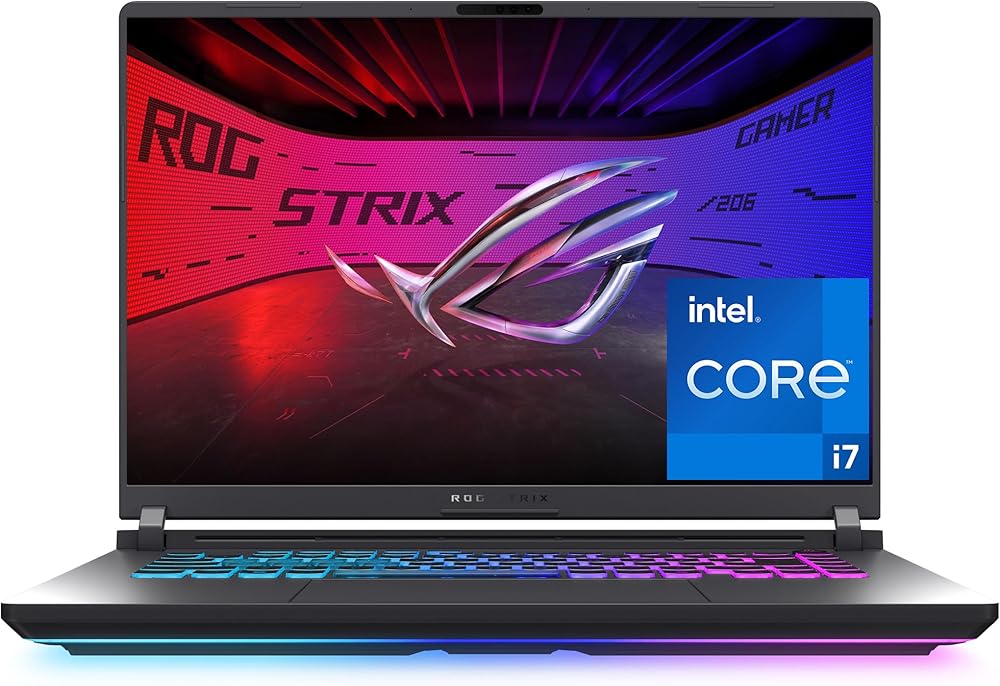
- Best 165Hz Pick for CS2 ASUS ROG Strix G16 i7 Check price
- Best 240Hz Pick for CS2 HP OMEN 16 (RTX 5060) Check price
Shopping on Amazon? Get it faster with Prime
Free fast delivery on eligible items above, Prime-only deals and Prime Video. New members can try it free for 30 days and cancel anytime.
The best budget laptop for CS2 does not need a powerful GPU. Counter-Strike 2's minimum spec is modest, but high frame rates in the game depend heavily on the CPU, so we favored laptops with HX-class or strong H-series processors.
We checked five lower-priced RTX laptops against the Counter-Strike 2 Steam page. We checked each Amazon listing in October 2026 and used only the specs the maker or seller lists. We do not list exact prices because Amazon prices change in real time. Use the buttons to see the current price and availability on Amazon before you buy. Scores are our editorial scores out of 10, not Amazon customer ratings.
Best Budget CS2 Laptops at a Glance
| Award | Laptop | Graphics | Why It Fits | Score |
|---|---|---|---|---|
| Best Budget Laptop for CS2 | Lenovo LOQ 15 i7 (RTX 5050) | RTX 5050 | i7 HX, G-Sync | 8.8/10 |
| Best 165Hz Pick for CS2 | ASUS ROG Strix G16 i7 (RTX 5050) | RTX 5050 | i7 HX, 165Hz | 8.6/10 |
| Best 240Hz Pick for CS2 | HP OMEN 16 (RTX 5060) | RTX 5060 | Ryzen 9, 240Hz | 8.5/10 |
| Best Anti-Glare Screen | HP HyperX OMEN 15 (RTX 5050) | RTX 5050 | RTX 5050, 165Hz | 8.0/10 |
| Best Storage for CS2 | HP Victus 15 (i5, RTX 4050) | RTX 4050 | RTX 4050, 1TB | 7.7/10 |

Lenovo LOQ Gaming Laptop, Intel Core i7-13650HX, GeForce RTX 5050, 16GB RAM, 1TB SSD, 15.6-inch FHD 144Hz G-Sync
A Core i7-13650HX and a 144Hz G-Sync screen.

ASUS ROG Strix G16 (2025) Gaming Laptop, Intel Core i7-14650HX, GeForce RTX 5050, 16GB DDR5, 1TB SSD
A Core i7-14650HX with a 165Hz FHD+ screen.

HP OMEN 16 Gaming Laptop, AMD Ryzen 9 8940HX, GeForce RTX 5060, 16GB DDR5, 1TB SSD, 16-inch WQXGA 240Hz
A 16-core Ryzen 9 8940HX and a 240Hz WQXGA screen.
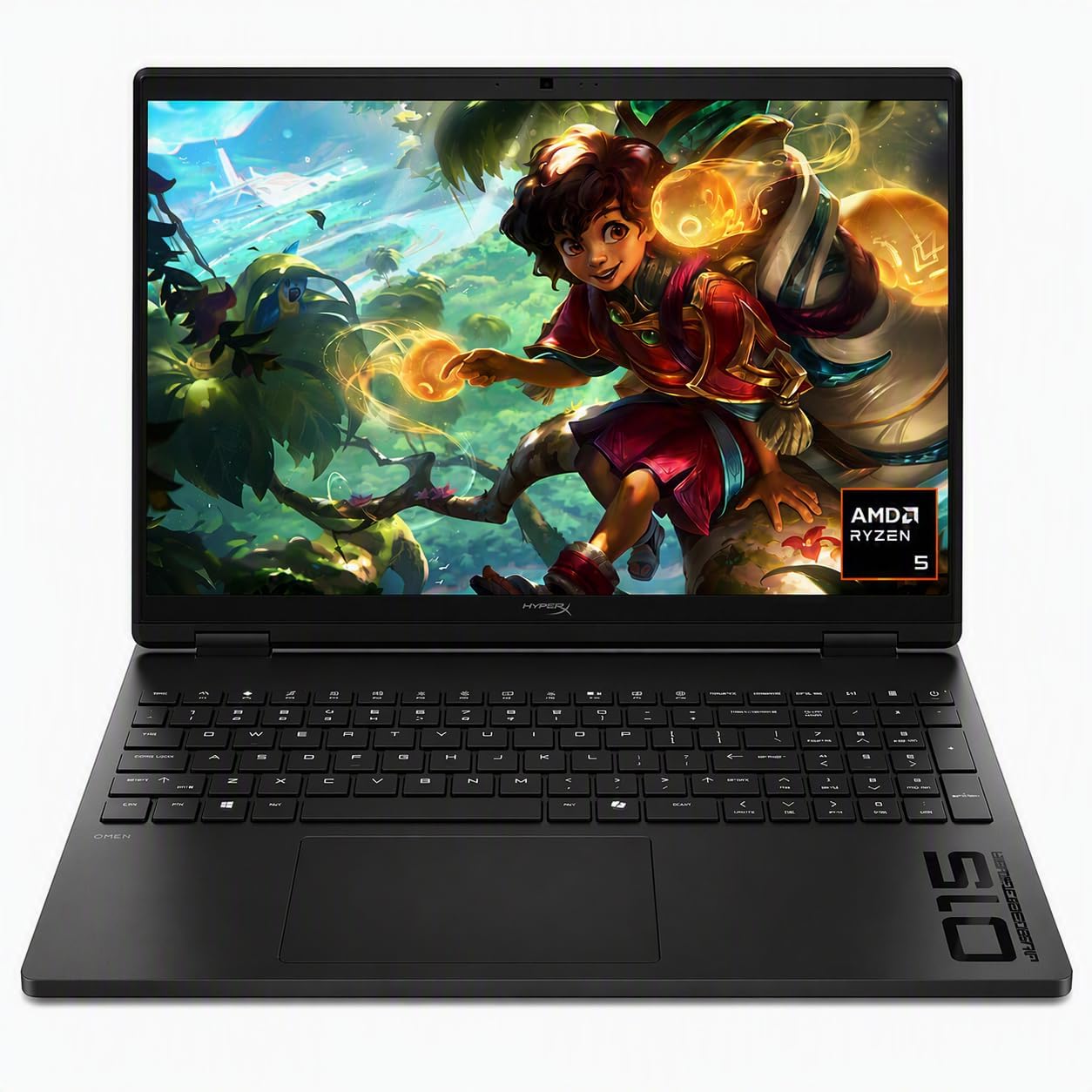
HP HyperX OMEN 15 Gaming Laptop, AMD Ryzen 5 240, GeForce RTX 5050, 16GB DDR5, 512GB SSD
An anti-glare 165Hz screen and 8GB of GDDR7.

HP Victus 15.6-inch Gaming Laptop, Intel Core i5-13420H, GeForce RTX 4050, 16GB RAM, 1TB SSD, FHD 144Hz
A 1TB SSD and a 144Hz screen at a lower tier.
In-Depth Reviews
1. Counter-Strike 2 PC Requirements
| Spec | Minimum | Recommended |
|---|---|---|
| OS | Windows 10 | Not listed |
| CPU | 4 hardware threads, such as Intel Core i5 750 | Not listed |
| Memory | 8GB | Not listed |
| GPU | 1GB+, DirectX 11 with Shader Model 5.0 | Not listed |
| Storage | 85GB | Not listed |
Source: the Counter-Strike 2 Steam page. Valve lists only minimum specs; every laptop here is far above them, so the screen and CPU speed decide how smooth it feels.
2. Lenovo LOQ 15 i7 (RTX 5050): Best Budget Laptop for CS2
The Lenovo LOQ 15 i7 (RTX 5050) has an Intel Core i7-13650HX, an RTX 5050, 16GB of memory and a 1TB SSD, with a 15.6-inch FHD IPS screen at 144Hz with G-Sync and Lenovo's Hyperchamber cooling. A Core i7-13650HX and a 144Hz G-Sync screen.
3. ASUS ROG Strix G16 i7 (RTX 5050): Best 165Hz Pick for CS2
The ASUS ROG Strix G16 i7 (RTX 5050) has an Intel Core i7-14650HX, an RTX 5050, 16GB of DDR5 and a 1TB Gen 4 SSD, with a 165Hz FHD+ screen and Wi-Fi 7. A Core i7-14650HX with a 165Hz FHD+ screen.
4. HP OMEN 16 (RTX 5060): Best 240Hz Pick for CS2
The HP OMEN 16 (RTX 5060) has a 16-core AMD Ryzen 9 8940HX, an RTX 5060 with 8GB of GDDR7, 16GB of DDR5 and a 1TB SSD, with a 16-inch WQXGA screen at 240Hz and HP's Cryo Compound cooling. A 16-core Ryzen 9 8940HX and a 240Hz WQXGA screen.
5. HP HyperX OMEN 15 (RTX 5050): Best Anti-Glare Screen
The HP HyperX OMEN 15 (RTX 5050) has an AMD Ryzen 5 240, an RTX 5050 with 8GB of GDDR7, 16GB of RAM and a 512GB SSD, with an anti-glare 165Hz IPS screen. An anti-glare 165Hz screen and 8GB of GDDR7.
6. HP Victus 15 (i5, RTX 4050): Best Storage for CS2
The HP Victus 15 (i5, RTX 4050) has an Intel Core i5-13420H, an RTX 4050 with 6GB of GDDR6, 16GB of RAM and a 1TB SSD, with a 15.6-inch FHD IPS screen at 144Hz and a 70Wh fast charge battery; the seller bundles a cooling pad. A 1TB SSD and a 144Hz screen at a lower tier.
How to Choose a Budget Laptop for CS2
CPU
HX-class chips push the highest frame rates.
Refresh rate
144Hz to 165Hz for smooth aiming.
Wired connection
Ethernet keeps ping steady.
Settings
Lower settings raise frame rates on any laptop.
Quick Setup Tips
- Update the GPU driver: new drivers often add fixes for new games
- Turn on DLSS where offered: it raises frame rates on RTX laptops
- Plug in while gaming: laptop GPUs run at full power only on AC
- Keep the vents clear: use a hard surface or a stand
- Check the live price: use the buttons to see the current price on Amazon
Frequently Asked Questions
What is the best budget laptop for CS2?
The Lenovo LOQ 15 with a Core i7-13650HX, an RTX 5050 and a 144Hz G-Sync screen.
Is CS2 CPU heavy?
Yes, high frame rates in CS2 depend a lot on the CPU.
What GPU do I need for CS2?
Any RTX laptop GPU is well above Valve's minimum.
How much storage does CS2 need?
Steam lists 85GB.
Is 144Hz enough for CS2?
Yes for most players; 165Hz is slightly smoother.
The Bottom Line
The Lenovo LOQ 15 i7 is the best budget laptop for CS2 in our check. Choose the ROG Strix G16 i7 for a 165Hz screen, or the HP OMEN 16 for a 240Hz screen.