Heads up: we may earn a commission when you buy through links on this page, at no extra cost to you. As an Amazon Associate we earn from qualifying purchases. How we make money
Short on time? Our top pick is Acer Nitro V 16, Acer Nitro 16 (RTX 4050) takes Most Affordable RTX Pick, while ASUS ROG Strix G16 takes Best Build Quality.
- Best Budget Gaming Laptop Overall Acer Nitro V 16 Check price
- Most Affordable RTX Pick Acer Nitro 16 (RTX 4050) Check price
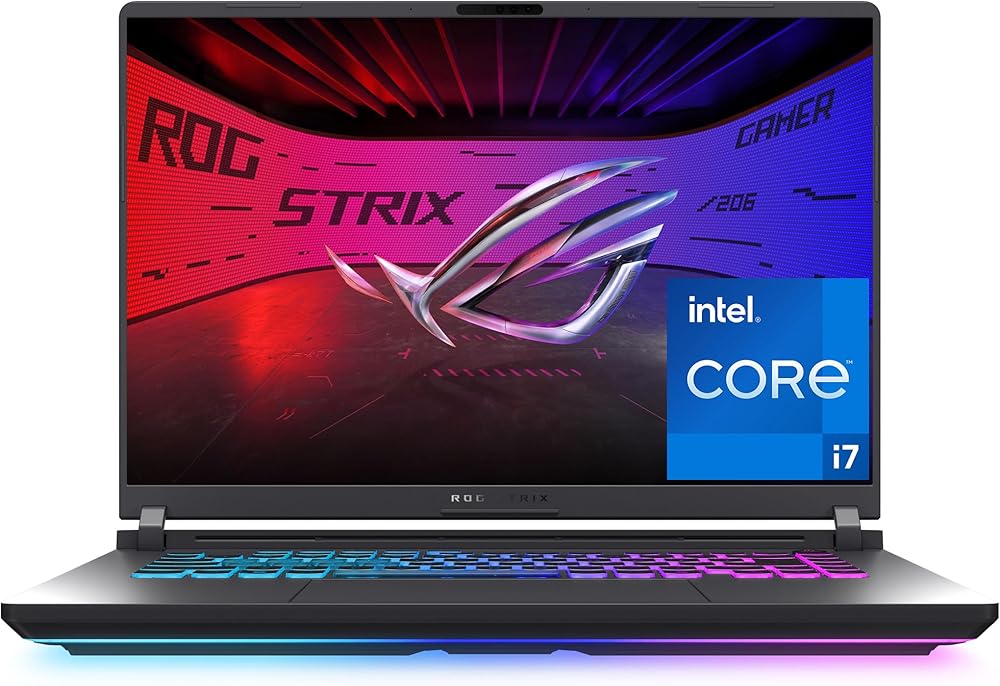
- Best Build Quality ASUS ROG Strix G16 Check price
Shopping on Amazon? Get it faster with Prime
Free fast delivery on eligible items above, Prime-only deals and Prime Video. New members can try it free for 30 days and cancel anytime.
The best budget gaming laptop in 2026 is the one that spends your money on the graphics card first. Laptop prices are higher this year, so we looked for affordable models with a real NVIDIA GeForce RTX GPU, a fast refresh rate screen and room to upgrade, instead of thin office laptops that only claim to game.
We compared budget gaming laptops on Amazon using the maker's listed specs, then ranked them on gaming performance, screen, memory and upgrade options. Scores are our editorial scores out of 10, not Amazon customer ratings. If you have a strict price ceiling, see our best gaming laptop under $1000 guide.
Best Budget Gaming Laptops at a Glance
| Award | Laptop | Graphics | Display | Score |
|---|---|---|---|---|
| Best Budget Gaming Laptop Overall | Acer Nitro V 16 (RTX 5060) | RTX 5060 | 16" 1920 x 1200, 180Hz | 9.0/10 |
| Most Affordable RTX Pick | Acer Nitro 16 (RTX 4050) | RTX 4050 | 16" 1920 x 1200, 165Hz | 8.8/10 |
| Best Build Quality | ASUS ROG Strix G16 (RTX 5050) | RTX 5050 | 16" FHD+, 165Hz | 8.7/10 |
| Best for School and Travel | GIGABYTE Eagle 16 (RTX 4050) | RTX 4050 | 16" 1920 x 1200, 165Hz | 8.5/10 |
| Best Screen on a Budget | Alienware 16 Aurora (RTX 5050) | RTX 5050 | 16" 2560 x 1600, 120Hz | 8.4/10 |
| Best 15.6-Inch Budget Pick | HP Victus 15 (RTX 4050) | RTX 4050 | 15.6" FHD, 144Hz | 8.2/10 |

Acer Nitro V 16 Gaming Laptop, Intel Core 7 240H, GeForce RTX 5060, 16GB DDR5, 512GB SSD
The strongest budget pick we found: an RTX 5060, a 180Hz 16-inch screen and Thunderbolt 4, sold and shipped by Amazon.

Acer Nitro 16 Gaming Laptop, AMD Ryzen 5 7640HS, GeForce RTX 4050, 8GB DDR5, 512GB SSD
One of the lowest-priced RTX laptops sold by Amazon in our check, with a 165Hz 16-inch screen and a USB4 port.

ASUS ROG Strix G16 Gaming Laptop, Intel Core i5-14450HX, GeForce RTX 5050, 16GB DDR5, 512GB SSD
ASUS ROG cooling, a MUX switch and tool-free access to the RAM and SSD make this the most upgrade-friendly budget pick.

GIGABYTE Eagle 16 Gaming Laptop, GeForce RTX 4050, AMD Ryzen 5, 16GB DDR5, 512GB SSD
A slim 19.59mm chassis, up to 8 hours of battery life per GIGABYTE and 16GB of RAM for a student budget.

Alienware 16 Aurora Gaming Laptop, Intel Core 7 240H, GeForce RTX 5050, 16GB
The only pick here with a sharp 2560 x 1600 screen, plus Dell's one year onsite service.
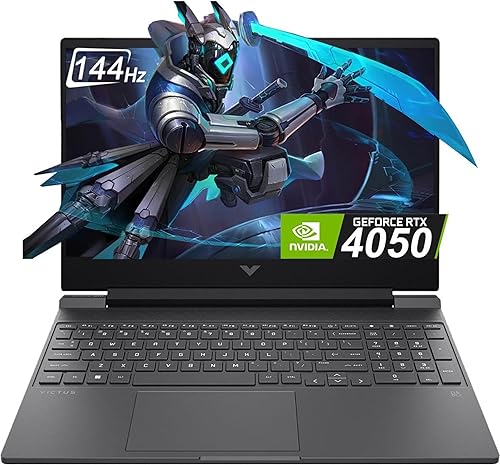
HP Victus 15 Gaming Laptop, Intel Core i5-13420H, GeForce RTX 4050, 16GB DDR4, 512GB SSD, 15.6-inch FHD 144Hz
A familiar HP Victus 15 with an RTX 4050 and 16GB of RAM for buyers who want a smaller 15.6-inch laptop.
In-Depth Reviews
1. Acer Nitro V 16 (RTX 5060): Best Budget Gaming Laptop Overall
The Acer Nitro V 16 pairs an Intel Core 7 240H with a GeForce RTX 5060, the strongest GPU in this guide. Its 16-inch 1920 x 1200 screen runs at 180Hz with 100% sRGB color, so fast games look smooth and colors look right.
You get 16GB of DDR5 in two slots (up to 32GB), a 512GB PCIe Gen 4 SSD, Thunderbolt 4, HDMI 2.1 and Killer Ethernet. Acer lists dual-fan, quad-intake and quad-exhaust cooling. It weighs 5.29 lbs, so it is a desk-first laptop.
2. Acer Nitro 16 (RTX 4050): Most Affordable RTX Pick
The Acer Nitro 16 was one of the lowest-priced RTX laptops sold by Amazon in our check. It uses an AMD Ryzen 5 7640HS (up to 5.0GHz) and an RTX 4050 with G-SYNC and Advanced Optimus, on a 16-inch 165Hz WUXGA screen.
It has a USB4 port, Wi-Fi 6E and liquid metal thermal grease. The weak spot is 8GB of RAM; plan to add a second stick for modern games.
3. ASUS ROG Strix G16 (RTX 5050): Best Build Quality
The ASUS ROG Strix G16 brings ROG features to a budget price: an end-to-end vapor chamber, tri-fan cooling and liquid metal on the CPU, plus a MUX switch that ASUS says adds 5 to 10% performance.
It runs an Intel Core i5-14450HX with an RTX 5050 and 16GB of DDR5-5600. A latch on the bottom gives tool-free access to the RAM, SSD and fans, which makes later upgrades easy.
4. GIGABYTE Eagle 16 (RTX 4050): Best for School and Travel
The GIGABYTE Eagle 16 is built for students who game after class. GIGABYTE lists up to 8 hours of battery life, a 19.59mm chassis and a 180-degree hinge, plus USB-C PD 3.0 charging.
It pairs an RTX 4050 with an AMD Ryzen 5 processor and 16GB of DDR5 on a 16-inch 165Hz screen.
5. Alienware 16 Aurora (RTX 5050): Best Screen on a Budget
The Alienware 16 Aurora has a 16-inch WQXGA 2560 x 1600 display at 120Hz and 300 nits, sharper than the other picks. It uses an Intel Core 7 240H and an RTX 5050 with 16GB of memory.
Dell includes one year of onsite service, a strong extra for a first gaming laptop.
6. HP Victus 15 (RTX 4050): Best 15.6-Inch Budget Pick
The HP Victus 15 uses an Intel Core i5-13420H, an RTX 4050 with 6GB of GDDR6 and 16GB of DDR4 on a 15.6-inch FHD 144Hz anti-glare screen.
It is sold by a third-party seller on Amazon, so check the seller and warranty details before you buy.
How to Choose a Budget Gaming Laptop
Spend on the GPU First
The graphics card decides game performance. An RTX 5060 is a clear step above an RTX 5050 or RTX 4050, so pick the strongest GPU your budget allows.
16GB of RAM Is the Minimum
Many new games want 16GB. If a laptop ships with 8GB, check that it has a free slot so you can add more.
Look at the Screen
A 144Hz to 180Hz refresh rate makes games feel smooth. A 16:10 screen like 1920 x 1200 gives extra room for work.
Plan for Storage
Budget laptops often ship with 512GB. A second SSD is an easy upgrade; see our best 2TB SSD for gaming laptop guide.
Check the Seller
Laptops sold and shipped by Amazon or the brand are simpler to return. Third-party listings can be good, but read the seller and warranty details.
Quick Setup Tips
- Update drivers first: install the latest GPU driver before you start gaming
- Use the performance mode: tools like NitroSense or Armoury Crate unlock full speed
- Plug in to play: gaming laptops run slower on battery
- Raise the back: a stand helps airflow and keeps fans quieter
- Add RAM early: moving from 8GB to 16GB helps modern games the most
Frequently Asked Questions
What is the best budget gaming laptop?
The Acer Nitro V 16 with an RTX 5060, for its strong GPU, 180Hz screen and Thunderbolt 4.
Is an RTX 4050 still good for gaming?
Yes for 1080p gaming at medium to high settings, but an RTX 5060 is faster and supports DLSS 4 Multi Frame Generation.
How much RAM does a budget gaming laptop need?
16GB. Laptops with 8GB work, but you should upgrade them.
Is a budget gaming laptop good for school?
Yes. The GIGABYTE Eagle 16 is a good fit thanks to its slim build and long battery life per GIGABYTE.
Should I buy from Amazon or a third-party seller?
Either can be fine. Sold-by-Amazon listings are easier to return; for third-party listings, check the seller rating and warranty.
The Bottom Line
The Acer Nitro V 16 is the best budget gaming laptop for most players. Choose the Acer Nitro 16 to spend less, the ASUS ROG Strix G16 for build quality and upgrades, or the Alienware 16 Aurora for a sharper screen.