Heads up: we may earn a commission when you buy through links on this page, at no extra cost to you. As an Amazon Associate we earn from qualifying purchases. How we make money
Short on time? Our top pick is Logitech MX Master 3S, Logitech Signature M650 L takes Best Customizable Pick, while ProtoArc EM11 NL takes Best Rechargeable Pick.
- Best Scroll Pick Logitech MX Master 3S Check price
- Best Customizable Pick Logitech Signature M650 L Check price
- Best Rechargeable Pick ProtoArc EM11 NL Check price
Shopping on Amazon? Get it faster with Prime
Free fast delivery on eligible items above, Prime-only deals and Prime Video. New members can try it free for 30 days and cancel anytime.
The best ergonomic mouse for video editing eases your wrist while you scrub through footage for hours. This guide compares six mice that pair comfort with smooth scrolling and customizable buttons.
Scroll control, grip shape and battery type vary a lot, so each pick lists them. Tap the Amazon buttons to see the current price. We checked each Amazon listing on November 4, 2026 and used only the specs the maker or seller lists. We do not list exact prices because Amazon prices change in real time. Use the buttons to see the current price and availability on Amazon before you buy. Scores are our editorial scores out of 10, not Amazon customer ratings.
Six comfort-focused mice for editors, from the MX Master 3S to vertical and quiet full-size models.
| Award | Product | Key Spec | Why It Fits | Score |
|---|---|---|---|---|
| Best Scroll Pick | Logitech MX Master 3S | MagSpeed, 8000 DPI | MagSpeed scrolling and a natural wrist posture. | 9.4/10 |
| Best Customizable Pick | Logitech Signature M650 L | Quiet, side buttons | Customizable side buttons for your editing shortcuts. | 9.2/10 |
| Best Rechargeable Pick | ProtoArc EM11 NL | Vertical, 500mAh | Rechargeable vertical shape for smaller hands. | 9.0/10 |
| Best SmartWheel Pick | Logitech Signature M550 L | SmartWheel, one AA | SmartWheel switches between line-by-line and fast scrolling. | 8.8/10 |
| Best Glide Pick | UGREEN Ergonomic Mouse | Vertical, PTFE feet | Vertical shape with PTFE glide feet. | 8.6/10 |
| Best Silent Pick | Lenovo WL310 Silent | Silent, Bluetooth 5.0 | Silent clicks and Bluetooth 5.0. | 8.4/10 |

Logitech MX Master 3S Bluetooth Wireless Mouse No Receiver - Graphite
The wheel is described as fast, precise and near silent, and clicks make 90 percent less noise. An 8000 DPI sensor tracks on any surface. It is Bluetooth only and ships without a receiver.

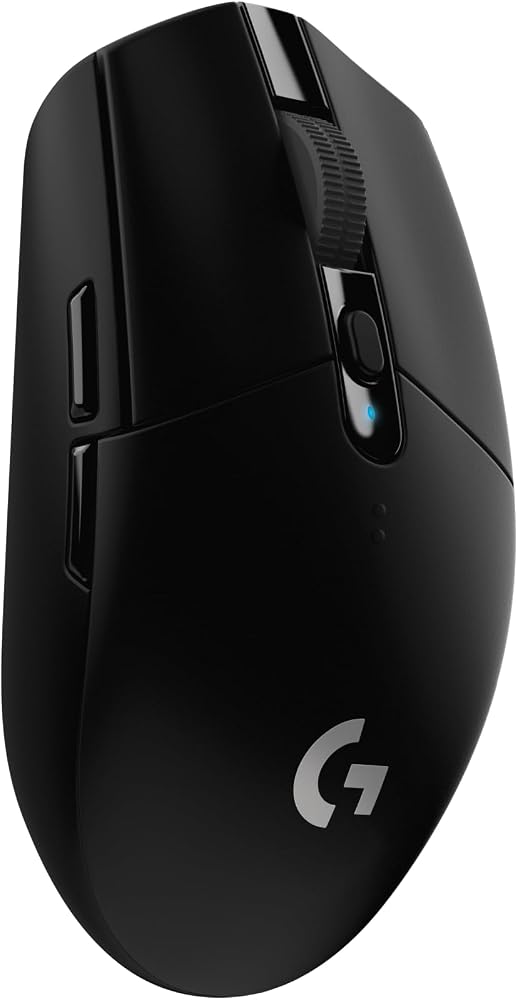
Logitech Signature M650 L Full Size Wireless Mouse Large Sized - Black
Side buttons accept your own actions, and the sensor reaches 4000 DPI. Clicks are 90 percent quieter and the battery lasts 24 months. It is sized for larger hands.

ProtoArc EM11 NL Wireless Ergonomic Vertical Mouse, Rechargeable, Black
A 500mAh battery charges over Type-C, and the mouse links to 3 devices by Bluetooth or the 2.4G receiver. It has 7 buttons. Larger hands may find the shape small.

Logitech Signature M550 L Full Size Wireless Mouse Large Sized - Black
The contoured shape has a soft thumb area and rubber side grips. One AA battery lasts up to 24 months. It connects by Bluetooth Low Energy or a Logi Bolt receiver.

UGREEN Ergonomic Wireless Mouse, Bluetooth & 2.4G Wireless, Quiet Clicks
A handshake position reduces wrist rotation, and 4 DPI levels run from 1000 to 4000. It has a 5-button layout. The range is 10 meters.

Lenovo WL310 Bluetooth Silent Mouse, Ergonomic, Adjustable DPI, Silent Clicks, Bluetooth 5.0, Portable for Windows, Mac, and Chromebook
It offers 1000, 1200 and 1600 DPI and reaches 10 meters. The shape aims to reduce wrist strain. The sensor stops at 1600 DPI.
In-Depth Reviews
1. Scrolling and Button Control
The Logitech MX Master 3S uses MagSpeed scrolling, and the Logitech Signature M550 L uses a SmartWheel with two scroll modes.
The Logitech Signature M650 L adds customizable side buttons for editing shortcuts.
2. Vertical and Silent Picks
The ProtoArc EM11 NL and the UGREEN Ergonomic Mouse keep your hand in an upright handshake position.
The Lenovo WL310 Silent suits shared rooms with silent clicks.
3. Logitech MX Master 3S: Best Scroll Pick
The Logitech MX Master 3S has a Bluetooth ergonomic mouse with MagSpeed scrolling. The wheel is described as fast, precise and near silent, and clicks make 90 percent less noise. An 8000 DPI sensor tracks on any surface. It is Bluetooth only and ships without a receiver.
4. Logitech Signature M650 L: Best Customizable Pick
The Logitech Signature M650 L has a full-size wireless mouse with customizable side buttons. Side buttons accept your own actions, and the sensor reaches 4000 DPI. Clicks are 90 percent quieter and the battery lasts 24 months. It is sized for larger hands.
5. ProtoArc EM11 NL: Best Rechargeable Pick
The ProtoArc EM11 NL has a vertical wireless mouse for hands under 7.5 inches. A 500mAh battery charges over Type-C, and the mouse links to 3 devices by Bluetooth or the 2.4G receiver. It has 7 buttons. Larger hands may find the shape small.
6. Logitech Signature M550 L: Best SmartWheel Pick
The Logitech Signature M550 L has a full-size wireless mouse for larger hands. The contoured shape has a soft thumb area and rubber side grips. One AA battery lasts up to 24 months. It connects by Bluetooth Low Energy or a Logi Bolt receiver.
7. UGREEN Ergonomic Mouse: Best Glide Pick
The UGREEN Ergonomic Mouse has a Bluetooth vertical mouse with quiet clicks. A handshake position reduces wrist rotation, and 4 DPI levels run from 1000 to 4000. It has a 5-button layout. The range is 10 meters.
8. Lenovo WL310 Silent: Best Silent Pick
The Lenovo WL310 Silent has a Bluetooth 5.0 mouse with silent clicks. It offers 1000, 1200 and 1600 DPI and reaches 10 meters. The shape aims to reduce wrist strain. The sensor stops at 1600 DPI.
How to Choose an Ergonomic Mouse for Video Editing
Check scrolling
Smooth wheels help you move across a long timeline.
Customize buttons
Side buttons can map to shortcuts for cut, undo or playback.
Pick a shape
Vertical shapes rotate your hand upright, while full-size shapes feel familiar.
Check hand size
The EM11 NL suits hands under 7.5 inches, and the M650 L suits larger hands.
Quick Setup Tips
- Map a button to the shortcut you use most.:
- Raise the DPI if your cursor feels slow across two screens.:
- Give a vertical shape a week to feel natural.:
- Rest your wrist between long editing blocks.:
- Check the live price: use the buttons to see the current price on Amazon
Frequently Asked Questions
What is the best ergonomic mouse for video editing?
For most shoppers the Logitech MX Master 3S is a strong choice, with MagSpeed scrolling and an 8000 DPI sensor.
Which pick has customizable side buttons?
The Logitech Signature M650 L has customizable side buttons.
Which pick is rechargeable?
The ProtoArc EM11 NL charges over Type-C.
Which pick has PTFE glide feet?
The UGREEN Ergonomic Mouse uses PTFE glide feet.
Which pick is silent?
The Lenovo WL310 Silent is built around silent clicks.
The Bottom Line
The best ergonomic mouse for video editing pick for most shoppers is the Logitech MX Master 3S, with MagSpeed scrolling, quiet clicks and an 8000 DPI sensor.